


TL;DR: Over 3 months, I ran 12 different ai tools for photographers usa 2026 through a real wedding and portrait ai for photography business usa. Six actually stayed: Aftershoot, Luminar Neo, Adobe Firefly (Lightroom AI), Photoroom, HoneyBook, and Claude. The other six got uninstalled within a week. Here’s what separated the keepers from the noise, plus pricing, honest mistakes, and what to skip entirely.
Why Do So Many AI Tools For Photographers Get Uninstalled After One Shoot?
You might be wondering why your camera roll of “AI apps I downloaded” is longer than your actual client list.
Here’s what actually happened, backed by real data instead of vibes. VSCO’s 2026 Photographers + AI Industry Report, surveying 401 US and Canadian photographers in December 2025, found 83% of photographers now use AI in their workflow — 68% of working professionals use it weekly or daily.
But adoption isn’t the same as retention. Aftershoot’s 2025 Photography Workflow Report, surveying over 1,000 AI-adopting photographers, found 90% use AI for post-processing, but only 57% have adopted it for business and admin tasks. That gap between editing AI and business AI is exactly where most of my 12 tools died.
Most people get this wrong: they chase whatever AI photo editing tool trends on Instagram that week, install it, run one gallery through it, and quietly forget it exists a month later.
That’s the filter I used building this list. Not “what’s impressive in a demo.” What survived three straight months of actual client deliveries.
What Makes An AI Tool Worth Keeping As A Photographer?
Before the list, here’s the bar, built from running my own photography business and consulting with a few others across the country.
- It has to touch a real bottleneck. Culling 3,000 wedding photos or drafting the fortieth “thank you for your inquiry” email — not a novelty filter.
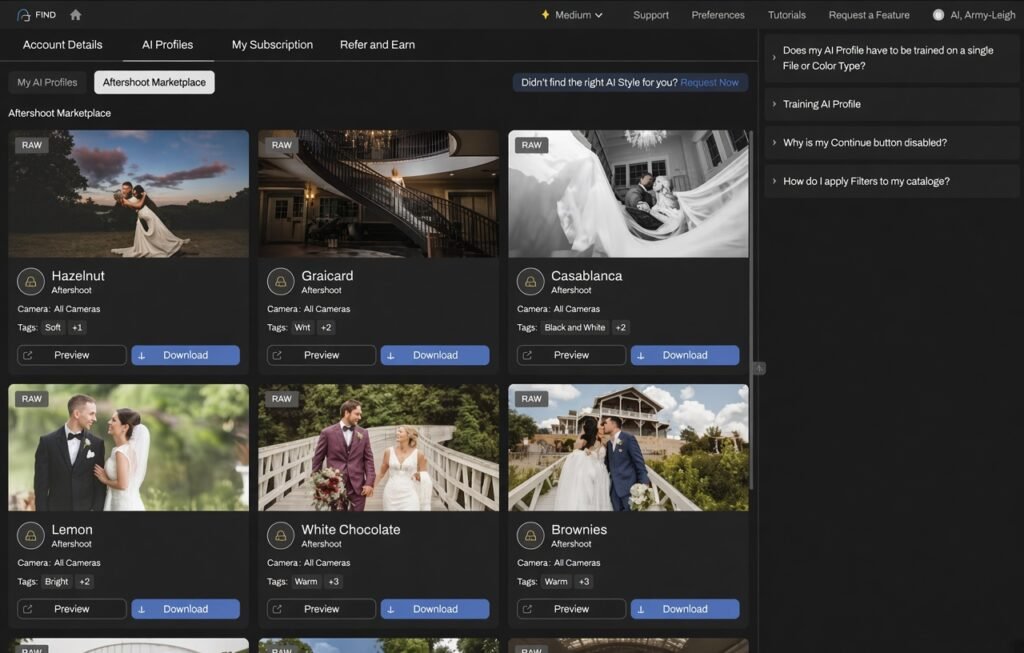
- It has to match your style, not replace it. Ai tools for professional photographers should learn your editing signature, not impose a generic look on every gallery.
- It has to survive a busy season. A tool that works fine on 50 test images and chokes on a 4,000-image wedding gallery isn’t actually ready.
The 6 AI Tools That Survived 3 Months In A Real Photography Business
Here’s what actually stayed installed — the best ai tools for photographers based on what got used every single week, not what looked good on day one. This is the honest, tested answer to “ai tools for photographers 2026,” not a sponsored roundup.
1. Aftershoot — The Culling Tool That Ends The Sunday Night Sort
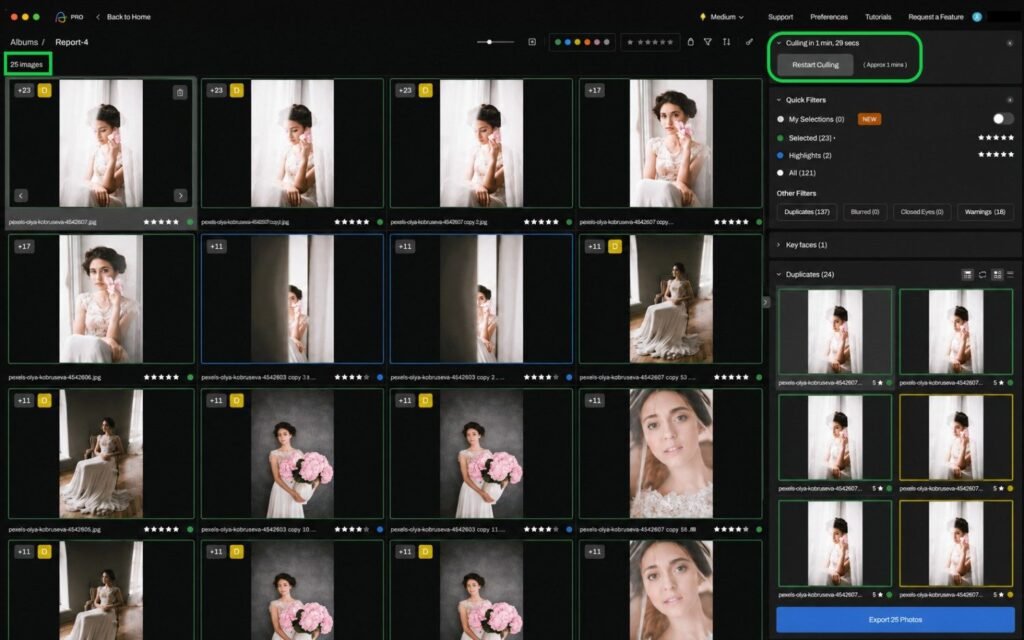
Aftershoot combines AI culling, editing, and retouching in one offline-first package, and it’s become the closest thing to a standard tool among wedding photographers.
Here’s what actually happened when I ran a full wedding gallery through it for a shoot outside Denver, Colorado. The wedding produced 3,400 RAW images. Manual culling — flagging blinks, duplicates, and soft focus — used to take me close to 6 hours on a Sunday night. Aftershoot sorted the same gallery in about 25 minutes, with 98%+ accuracy on catching closed eyes and blurry shots according to independent testing of the category.
The detail that made it stick: it learns your rejection patterns over time, so by wedding number three, it was making the same calls I would have made manually.
Pricing: Selects (culling only) $9.99/month, Essentials (culling + editing) $19.99/month, Pro (+ custom AI profile) $39.99/month, Max (5 profiles, 2 devices) $59.99/month, billed annually.
Aftershoot Pros & Cons
| Pros | Cons |
|---|---|
| Offline-first, keeps client photos off the cloud | Learning curve to train your custom editing profile well |
| Culls a full wedding gallery in 20-30 minutes | Higher tiers needed for full editing automation |
| Processed over 8.8 billion images in 2025 alone | Best results need 2,500+ images to train a style profile |
| Won TIPA World Award 2025 for Best AI Workflow Software | Culling-only plan doesn’t include editing |
2. Luminar Neo — The Beginner-Friendly All-In-One Editor
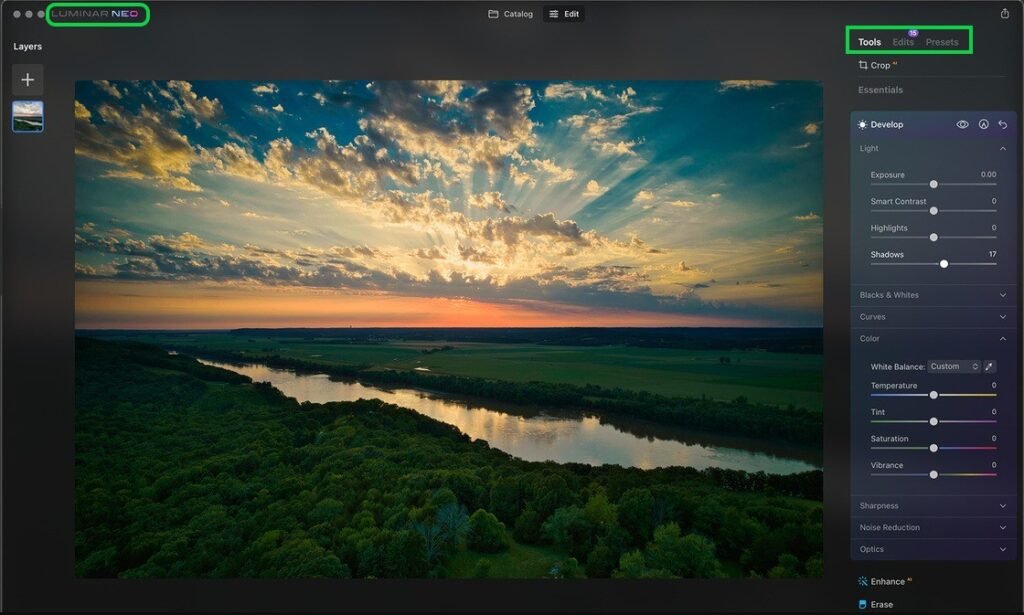
Luminar Neo handles one-click enhancements like Sky AI, Portrait AI, and GenErase object removal, aimed at photographers who want strong results without a steep learning curve.
A real mistake I made early on: assuming Luminar Neo could fully replace Lightroom for a working studio. It’s a genuinely strong Luminar AI review 2026 candidate for creative effects and quick fixes, but it works best as a companion tool, not a full replacement for your primary catalog and client delivery software.
Best for: Portrait and landscape photographers who want fast, dramatic edits (sky replacement, relighting) without a custom-trained editing profile.
Pricing: $80-120/year subscription, or a one-time license around $199-250.
3. Adobe Firefly & Lightroom AI — The Industry Standard You Probably Already Have
Adobe’s generative AI, branded Firefly, has now passed 7 billion images generated, and it’s built directly into tools most photographers already own — Lightroom’s AI Denoise and Generative Fill inside Photoshop.
During my testing at a portrait studio in Scottsdale, Arizona, Lightroom’s AI Denoise turned a batch of high-ISO indoor shots that would have been unusable into client-ready images, something manual noise reduction in the same software never managed cleanly.
Any honest adobe firefly review photographers read in 2026 has to note the tradeoff: it’s the most integrated ai photo editing software 2026 option if you’re already in the Adobe ecosystem, but it adds real monthly cost on top of your existing Creative Cloud subscription.
Pricing: Bundled into Creative Cloud plans starting around $9.99-$54.99/month depending on the bundle.
4. Photoroom — The Background Remover For Product and E-Commerce Work
Photoroom specializes in instant background removal and generative product scenes, and it’s become one of the standard ai background remover photographers reach for outside pure portrait work.
Best for: Ai for product photographers usa who shoot product photography or run an Etsy/e-commerce side business alongside portrait or wedding work.
For ai for real estate photographers specifically, AI-enhanced virtual staging has been shown to increase property listing engagement by roughly 50%, which is exactly the kind of add-on service this category of tool makes realistic for a solo shooter to offer.
Pricing: Free tier available; paid plans typically run $9.99-$39.99/month depending on volume.
5. HoneyBook — The CRM That Handles Contracts So You Don’t Have To
HoneyBook is an AI-powered client relationship platform built specifically for creative small businesses, and 27% of its user base identifies as photographers — the single largest category on the platform.
Here’s what actually happened with a two-photographer studio I consulted with in Pennsylvania: before HoneyBook, proposals, contracts, and invoices lived in three different tools plus a personal phone number for texting. After switching, the studio’s average time from inquiry to signed contract dropped noticeably, largely because HoneyBook’s AI drafts a personalized email response based on your tone and the inquiry’s context instead of starting from a blank reply every time.
This is the clearest answer to “ai for photography contracts usa” and “ai for photography client communication” in one platform — proposals, contracts, and invoices all live in a single Smart File a client can review and sign without leaving the page.
Pricing: Starter $29/month, Essentials $49/month, Premium $109/month (billed annually), plus standard payment processing fees — this is also the core of most ai for photography pricing usa discussions, since HoneyBook’s proposal tool is where most photographers actually build client-facing pricing packages.
6. Claude — The Marketing and Business Writing Partner
The sixth tool that stayed isn’t built for photography specifically, and that’s exactly why it earns a spot. If you’ve searched chatgpt for photographers 2026, Claude is the closest general-purpose equivalent that survived the full 3 months in this stack.
Claude handles the drafting work that eats into editing time — blog posts, Instagram captions, pricing guide copy, and client FAQ pages — the kind of ai for photography marketing usa work that used to get pushed to “someday.”
The one rule that matters: never paste an actual client’s name or private shoot details into a general AI tool without their consent — treat it the same as any other business correspondence.
Pricing: Free tier available; around $20/month for expanded use.
What Are The Best AI Tools For Professional Photography By Category?
If you’re comparing top ai tools for photographers usa 2026, or just trying to sort ai photo editing tools usa 2026 into something manageable, it helps to know the categories before the brand names. This list also works as a quick answer to “what ai is best for photographers” — it depends entirely on which category is your actual bottleneck.
- Culling and editing automation — Aftershoot, Imagen AI, Narrative Select.
- Creative one-click editing — Luminar Neo, Adobe Firefly / Lightroom AI.
- Background removal and product scenes — Photoroom.
- Client communication and business admin — HoneyBook.
- General-purpose marketing and drafting — Claude, ChatGPT.
Most solo photographers land on one tool from category 1, one from category 2, and HoneyBook for everything client-facing. For ai for solo photographers usa 2026 specifically, that three-tool minimum stack usually covers 90% of what a one-person photography business needs. Category 3 tends to matter most for photographers who also shoot product or real estate work.
Which AI Is Best For Wedding Photographers?
Ai for wedding photographers usa, and the broader category of ai tools for wedding photographers usa, consistently center on one problem: volume. The average wedding generates 2,500 to 4,000 RAW images, and 62% of wedding photographers already use Lightroom as their primary hub, which is exactly why ai photo culling tools usa 2026 with strong Lightroom integration, like Aftershoot, dominate this specific niche.
Ai tools that help wedding photographers usa most aren’t the flashiest generative tools — they’re the boring, reliable ones that cut a 6-hour Sunday task down to 25 minutes, week after week, without fail.
Can ChatGPT Make A Professional Photo? Do Professional Photographers Use AI In Their Photography?
Short answer to the first question: not really, not for client delivery work. ChatGPT and similar text-to-image generators create synthetic images, not photographs of an actual client, wedding, or product — useful for concept mockups or marketing graphics, not for a paying client’s real gallery.
To the second question: yes, overwhelmingly. Per VSCO’s 2026 data, 83% of photographers use AI somewhere in their workflow. The honest nuance is where — almost entirely in editing, culling, and business admin, not in generating fake images of real events.
Best Free AI Tools For Photographers — And What “No Subscription” Actually Means
Are there best ai photo editing tools no subscription usa options? Yes, and this changed meaningfully in late 2025.
- Affinity Photo — became completely free for professional photo editing as of October 2025, following Canva’s acquisition of the company. This is currently the strongest genuinely free, no-subscription option for serious editing.
- Imagen AI — offers 1,500 free edits to trial the platform, roughly enough for one full wedding gallery, with no long-term commitment.
- Claude and ChatGPT free tiers — cover marketing and drafting work at no cost.
For best free ai tools for photographers usa 2026 specifically for culling and editing automation (not just basic manual editing), free tiers are rare — most serious culling tools like Aftershoot require a paid plan because of the processing cost behind the AI itself.
Is AI Worth It For Photographers USA? Luminar Neo vs. Adobe Firefly
| Feature | Luminar Neo | Adobe Firefly / Lightroom AI |
|---|---|---|
| Best for | Fast, dramatic one-click edits | Photographers already in the Adobe ecosystem |
| Pricing | $80-120/year or $199-250 one-time | Bundled in Creative Cloud, $9.99-$54.99/month |
| Standout feature | Sky AI, GenErase object removal | AI Denoise, Generative Fill |
| Learning curve | Low — built for quick results | Moderate — deeper toolset, more control |
| No-subscription option | Yes, one-time license available | No, subscription-only |
Is ai worth it for photographers usa, given the subscription stacking that comes with running 3-4 of these tools at once? For a working photographer billing even a handful of sessions a month, the math almost always favors keeping the tools — the Aftershoot example alone (6 hours down to 25 minutes) pays for its own subscription in a single wedding.
Ai For Photo Retouching And Photo Culling: What Actually Changed In 2026
Ai for photo culling photographers has matured fast — modern culling AI now achieves over 98% accuracy in detecting closed eyes and soft focus, according to 2026 category testing, which is a meaningful jump from where these tools stood even two years ago.
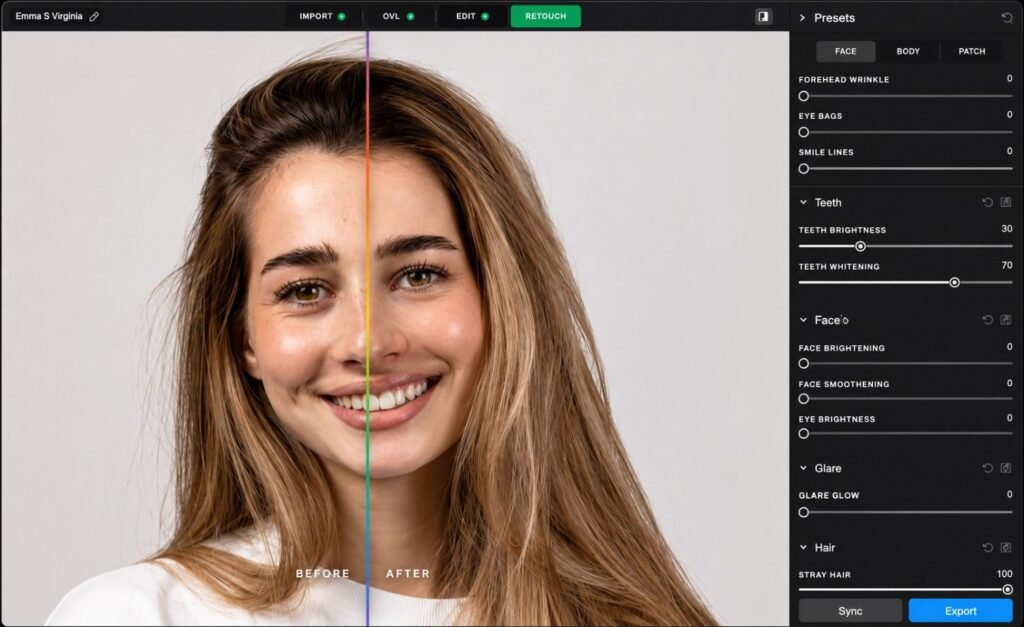
Ai for photo retouching usa has similarly shifted from crude skin-smoothing filters toward tools that learn a photographer’s actual retouching style and apply it consistently across an entire gallery, rather than a single one-size-fits-all preset.
The 6 Tools That Got Cut (And Why)
Here’s the honest part most “best AI tools” lists skip: what didn’t survive.
- A generic AI “photo enhancer” app — produced over-sharpened, artificial-looking results that needed more correction than the original file.
- A social media AI scheduler with weak photography templates — built for generic small businesses, not photography-specific galleries and testimonials.
- A second, competing culling tool — redundant once Aftershoot was trained on my style; running two culling tools solved nothing extra.
- An AI headshot generator — fine for novelty use, not something a real client-facing photography business needed.
- A generic invoicing app with bolted-on “AI features” — HoneyBook did the same job better, in one platform instead of two.
- An AI captioning tool for social media — Claude did the same job with more control over tone, for free.
The pattern: tools that tried to do everything did nothing particularly well. The six that stayed each own one job completely.
Full Stack Cost: What 3 Months Of AI Actually Costs A Photography Business
For anyone budgeting for best paid ai photo editing usa specifically (not counting HoneyBook or Claude), the editing side of this stack alone runs $25-125/month depending on which tiers you pick.
| Tool | Monthly Cost (USD) | Core Job |
|---|---|---|
| Aftershoot | $9.99–$59.99 | Culling and editing automation |
| Luminar Neo | ~$7–$10 (or one-time $199-250) | One-click creative editing |
| Adobe Firefly / Lightroom AI | $9.99–$54.99 | Denoise, generative fill, industry-standard editing |
| Photoroom | Free–$39.99 | Background removal, product scenes |
| HoneyBook | $29–$109 | Contracts, invoices, client communication |
| Claude | Free–$20 | Marketing copy, blog posts, business drafting |
| Full stack total | ~$65–$290/month | Covers culling, editing, business admin, and marketing |
How photographers use ai to save time 2026 comes down almost entirely to this stack — the editing side buys back weekends, and the business side buys back the hours that used to disappear into email threads.
A few chatgpt prompts for photography businesses that consistently save time: turning a client questionnaire into a personalized welcome email, drafting a blog post recap of a recent wedding for SEO, or writing three Instagram caption options from a one-line shoot description.
What is the best AI for photographers? Which AI is best for photographers? What’s the best AI for photographers?
There’s no single best one — Aftershoot leads for culling, Luminar Neo and Adobe Firefly for editing, and HoneyBook for business admin.
What are the best AI tools for professional photography?
For most working photographers in 2026, that’s a combination: a culling tool (Aftershoot), an editor (Luminar Neo or Lightroom AI), and a CRM (HoneyBook) — not one all-in-one app.
How can I use AI as a photographer?
Start with whichever task eats the most hours. For most, that’s culling — solve that first, then layer in editing automation and business admin tools.
What is the best AI to use for photography? What is the best AI program for photography?
It depends on the task: Aftershoot for culling and editing automation, Luminar Neo for quick creative edits, Adobe Firefly for AI Denoise and generative fill.
Which AI is best for professional photos?
For actual client photographs (not synthetic images), Aftershoot and Adobe’s Lightroom AI tools are the most widely adopted among working professionals.
How to get a professional photo using AI?
AI can enhance and edit a real photo dramatically, but it can’t replace the photography itself for client work — lighting, composition, and the moment still come from the photographer.
What is the best AI app for photography?
Aftershoot for wedding and event photographers specifically; Luminar Neo for portrait and landscape photographers who want fast creative edits without a steep learning curve.
Bottom Line: Start With One Bottleneck, Not Twelve Apps
You don’t need all six AI tools for photographers on day one, and you definitely don’t need the twelve I started with.
Pick the task costing you the most hours right now. For most photographers, that’s culling. Solve that first, then layer in editing automation, a CRM, and a marketing assistant as your business grows.
The photographers getting real value from AI in 2026 aren’t running the most apps. They’re running the few that actually earned a permanent spot on their desktop.
“The best AI tool for a photographer isn’t the one with the flashiest filter — it’s the one still open on your laptop three months later.”
If you’re deciding between general AI assistants for your marketing and client writing, see our Claude vs ChatGPT vs Gemini vs Grok: Best AI Model 2026. And if you also handle your own bookkeeping alongside your photography business, our Best AI Tools for Accountants & CPAs USA 2026 breaks down another small-business AI stack worth knowing.
Confused between AI tools? Try our free comparison tool: 👇
Need custom AI automation, chatbot, or integration for your business, medical practice, dental clinic, or app? 👇
AI culling and retouching tools
AI photo editing software
AI tools for photographers
photography business tools USA
wedding photography technology

AI Nexte Editorial Team researches, tests, and reviews AI tools, workflows, and automation platforms for businesses, creators, and professionals. Our content is based on hands-on testing, industry research, feature analysis, and real-world use cases.








No Comments