



TL;DR: The best AI tools for freelancers in 2026 are ChatGPT, Claude, Jasper, Perplexity, Notion AI, Copy.ai, GitHub Copilot, Canva AI, HoneyBook AI, and Otter.ai. Each solves a specific pain point — writing, coding, research, design, or admin. Together, a smart AI stack can save freelancers 8+ hours every single week.
Let me be straight with you.
In 2026, if you’re a freelancer in the USA and you’re not using AI tools, you’re working twice as hard to earn half as much. That is not an exaggeration — it’s market math.
Freelancers are 2.2× more likely to use AI than traditional employees. And 74% of independent workers now use AI tools in their work, with 61% saying AI saves them time and increases their output.
Meanwhile, demand for AI-related freelance skills grew 109% year over year on Upwork’s U.S. marketplace based on actual client spending data from 2025.
The message is clear: AI isn’t replacing good freelancers. It’s replacing freelancers who refuse to use AI.
This guide covers the 10 best AI tools for freelancers in 2026 — tested for real USA-based workflows, priced in USD, and ranked by actual usefulness — not hype.
Why Freelancers in the USA Need AI Tools in 2026
The American gig economy has changed faster in the last 18 months than in the previous decade.
Approximately 60 million Americans now freelance or own small businesses — roughly 38% of the U.S. workforce. Freelancers who adopted AI workflows in 2024 and 2025 report completing the same client deliverable that used to take 6 hours in just 2.5 hours. The rates stayed the same. The profit per hour nearly tripled.
AI-using freelancers save roughly 8 hours per week on average. That’s an extra full workday — every single week — that you can spend on client acquisition, skill development, or simply not burning out.
Whether you’re a content writer in Austin, a web developer in Miami, a virtual assistant in Chicago, or a social media manager in New York, the right AI stack changes everything.
Let’s get into it.
The Master Comparison Table: Top AI Tools for Freelancers 2026
| Tool | Best For | Free Plan | Starting Price | Ease of Use | USA Support |
|---|---|---|---|---|---|
| ChatGPT | Writing, research, strategy | ✅ Yes | $20/month (Plus) | ⭐⭐⭐⭐⭐ | ✅ Full |
| Claude | Long-form writing, document work | ✅ Yes | $20/month (Pro) | ⭐⭐⭐⭐⭐ | ✅ Full |
| Jasper AI | Marketing copy, brand voice | ❌ No | $49/month (Creator) | ⭐⭐⭐⭐ | ✅ Full |
| Perplexity AI | Research, fact-checking | ✅ Yes | $20/month (Pro) | ⭐⭐⭐⭐⭐ | ✅ Full |
| Notion AI | Project management, notes | ✅ Limited | $10/month add-on | ⭐⭐⭐⭐ | ✅ Full |
| Copy.ai | Short-form copy, social posts | ✅ Yes | $49/month (Starter) | ⭐⭐⭐⭐ | ✅ Full |
| GitHub Copilot | Coding, development | ❌ No | $10/month | ⭐⭐⭐⭐ | ✅ Full |
| Canva AI | Design, visuals, presentations | ✅ Yes | $15/month (Pro) | ⭐⭐⭐⭐⭐ | ✅ Full |
| HoneyBook AI | Invoicing, contracts, admin | ❌ Trial | $19/month | ⭐⭐⭐⭐ | ✅ USA only |
| Otter.ai | Transcription, meeting notes | ✅ Yes | $17/month (Pro) | ⭐⭐⭐⭐⭐ | ✅ Full |
What Are the Best AI Tools for Freelancers in 2026?
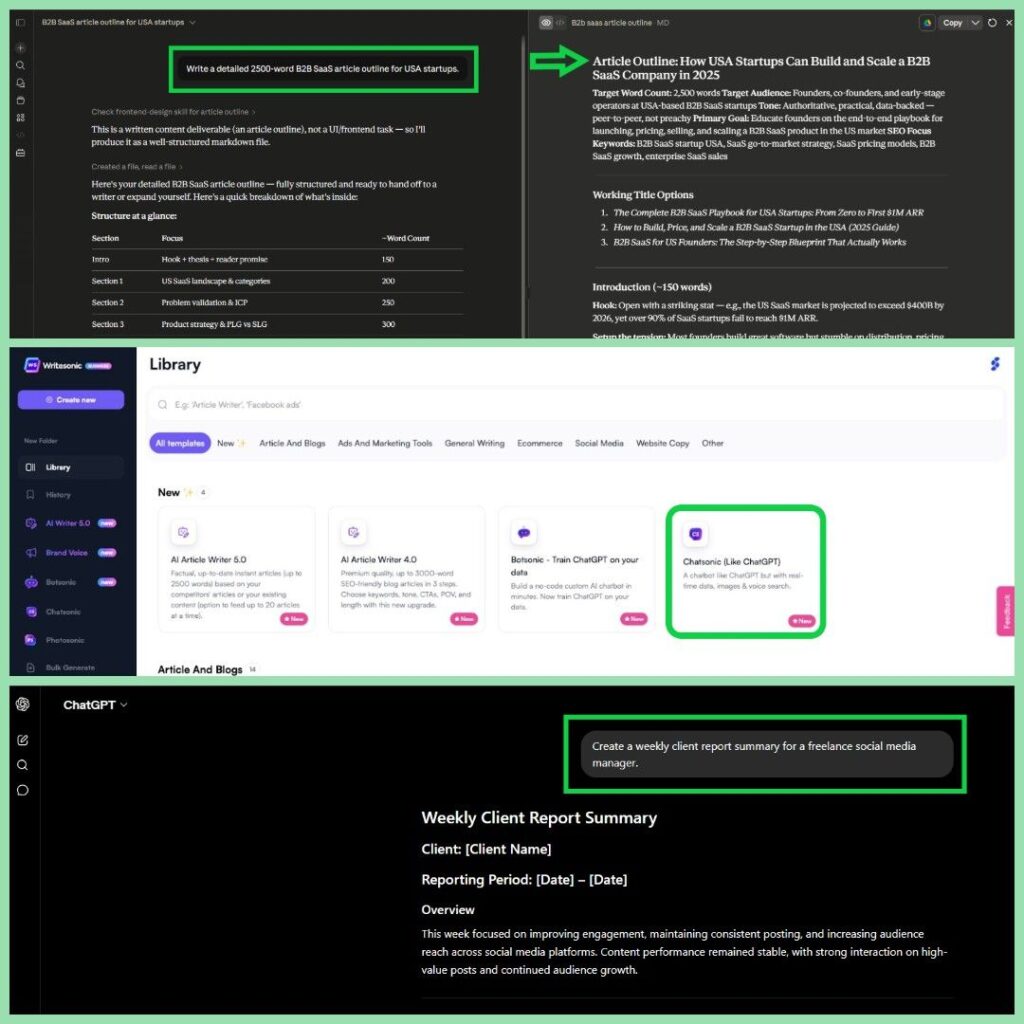
1. ChatGPT — The Swiss Army Knife for Every Freelancer
ChatGPT remains the most-used AI tool among USA freelancers in 2026 — and for good reason.
It handles writing, strategy, research, client emails, proposals, social media, and even basic coding. No other tool covers as many freelance use cases in a single interface.
Who it’s best for: Writers, virtual assistants, consultants, social media managers, copywriters
Real-World Use Case: A virtual assistant in Dallas told me she uses ChatGPT to draft client weekly reports, answer support emails, and create onboarding documents. What used to take her 4 hours on Mondays now takes 45 minutes.
Key Features:
- GPT-5.5 model with web search, image generation, and voice mode
- Memory across sessions — it remembers your clients and preferences
- Code interpreter for data analysis and spreadsheets
- Custom GPTs for repeatable freelance workflows
Pricing:
- Free: Limited access to GPT-4o
- Plus: $20/month — full GPT-5.5 access, DALL-E, web browsing
- Pro: $200/month — unlimited everything, advanced agents
| ✅ Pros | ❌ Cons |
|---|---|
| Most versatile tool available | Free tier has usage limits |
| Huge ecosystem of plugins and GPTs | Can hallucinate on specialized topics |
| Native image generation included | Memory still imperfect |
| Works for almost every freelance niche | $200/month Pro tier is expensive |
Pro Tip: Create a custom GPT with your writing style, client preferences, and niche vocabulary. It will produce client-ready output in a fraction of the time.
2. Claude — Best for Long-Form Writing and Document-Heavy Work
If your freelance work involves long reports, white papers, in-depth blog posts, or document review — Claude is your best friend.
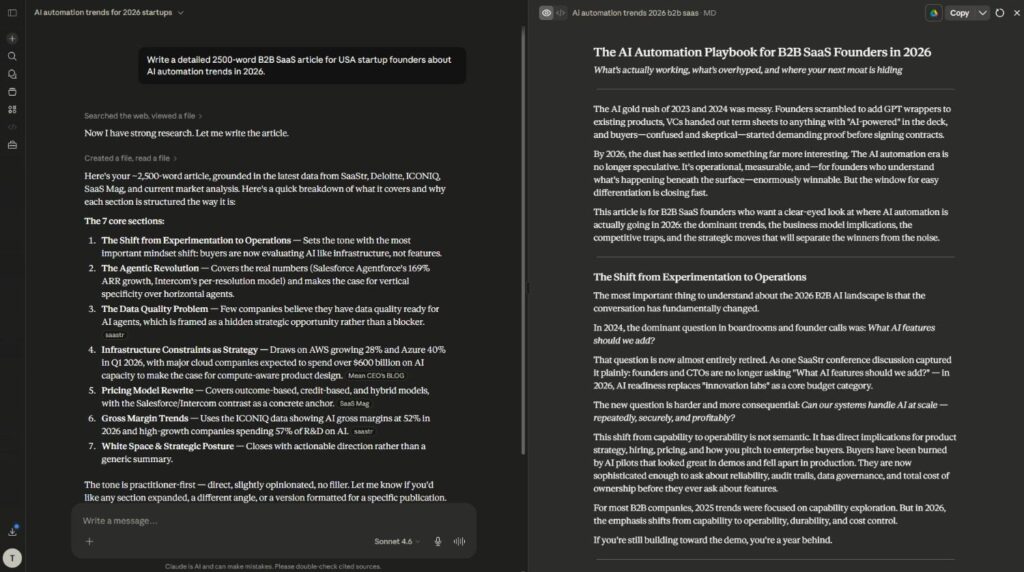
It outputs up to 128K tokens in a single response. No other frontier model matches that. And its writing quality, especially for professional and corporate content, is consistently rated higher than ChatGPT by editors and writing professionals.
Who it’s best for: Freelance writers, content strategists, legal document reviewers, researchers
Real-World Use Case: When I tested Claude head-to-head with ChatGPT on a 3,000-word B2B article for a SaaS client, Claude’s draft needed only light editing. ChatGPT’s version required a more significant structural rework. That difference saved 40 minutes on a single article — at 10 articles per month, that’s nearly 7 hours saved.
Key Features:
- Best-in-class long-form writing quality
- 200K token context window — can read entire documents
- Claude Code for agentic coding tasks
- Constitutional AI approach — more nuanced, less over-refusal
Pricing:
- Free: Limited daily messages
- Pro: $20/month
- Max: $100–$200/month (high-volume users)
- API: $3/million tokens (Sonnet) — affordable for developers
| ✅ Pros | ❌ Cons |
|---|---|
| Best writing quality of any AI tool | No native image generation |
| Largest single-response output | Web search still in beta |
| Reads full PDFs and documents | Free tier messages run out fast |
| More nuanced on complex topics | Fewer integrations than ChatGPT |
Common Mistake: Most freelancers use Claude the same way they use ChatGPT — short prompts, quick outputs. Claude shines on long, detailed prompts. Give it a full brief with context, tone, audience, and examples. The difference in output quality is remarkable.
3. Jasper AI — Best for Freelance Marketing Copywriters
Jasper is built specifically for marketing copy. It’s not a general AI assistant — it’s a conversion-focused writing tool with 50+ templates and brand voice training.
For freelancers who specialize in email campaigns, landing pages, Facebook ads, or product launches — Jasper justifies its premium price quickly.
Who it’s best for: Freelance copywriters, email marketers, ad specialists, content agencies
Key Features:
- Brand voice training — it writes in your client’s exact tone
- 50+ templates: ads, emails, landing pages, product descriptions
- Jasper Chat for quick copy iterations
- SEO mode with Surfer integration
Pricing:
- Creator: $49/month (1 seat, 1 brand voice)
- Pro: $69/month (multi-brand, team features)
- Business: Custom pricing
| ✅ Pros | ❌ Cons |
|---|---|
| Best brand voice consistency | No meaningful free plan |
| Conversion-focused templates | More expensive than Claude/ChatGPT |
| Built-in SEO mode | Less useful outside copywriting |
| Excellent for client content production | Outputs need fact-checking |
Is Jasper worth it for freelance writers? Yes — but only if marketing copy is your primary deliverable. If you write long-form editorial content, Claude delivers better quality at a lower price. Jasper earns its cost for copywriters producing high-volume ad and email copy for clients.
4. Perplexity AI — Best for Freelance Research
Every freelancer spends hours on research. Perplexity cuts that time by 60–70%.
Unlike ChatGPT, Perplexity cites every single source in real time. It pulls from academic papers, news outlets, industry reports, and official websites. For journalists, consultants, and researchers in the USA, this is invaluable.
Who it’s best for: Freelance journalists, researchers, consultants, content strategists
Key Features:
- Real-time web search with cited sources
- Academic mode — pulls peer-reviewed papers
- Perplexity Pages — publish research as formatted reports
- Follow-up questioning within threads
Pricing:
- Free: Unlimited basic searches, 5 Pro searches/day
- Pro: $20/month — unlimited Pro searches, file uploads, API access
| ✅ Pros | ❌ Cons |
|---|---|
| Best research accuracy of any AI tool | Not a writing tool — output is raw |
| Cites every source automatically | Pro plan needed for full power |
| Academic mode for deep research | Less useful for creative tasks |
| Follow-up questions in threads | Interface less polished than ChatGPT |
Pro Tip: Use Perplexity for research, then feed your findings to Claude for the actual writing. That two-tool workflow is what top USA freelancers are using in 2026 to produce research-backed content at speed.
5. Notion AI — Best for Freelance Project Management and Organization
Freelancers live and die by organization. Notion AI brings intelligent automation inside the project management tool that 30 million+ users already rely on.
It summarizes meeting notes, generates project templates, auto-fills client briefs, and drafts documents — all inside your existing Notion workspace.
Who it’s best for: Virtual assistants, project managers, content creators, solopreneurs
Key Features:
- AI summaries of meeting notes and documents
- Auto-generates project templates from prompts
- In-line AI writing within any Notion page
- Database filtering and analysis via AI
Pricing:
- Notion Free + AI Add-on: $10/month per member
- Notion Plus + AI: $16/month per member
- Business: $18/month per member (team features)
| ✅ Pros | ❌ Cons |
|---|---|
| Integrated into existing workflow | AI add-on costs extra |
| Best organization tool for solopreneurs | Steep learning curve for beginners |
| Saves hours on admin each week | AI not as powerful as Claude/ChatGPT |
| Great for client-facing deliverables | Overkill for simple task management |
6. Copy.ai — Best Free AI Tool for Freelancers Doing Social Media
Copy.ai is one of the most generous free-tier AI tools available to USA freelancers. The free plan includes unlimited short-form copy — social posts, email subject lines, product descriptions, and taglines.
For social media freelancers managing 5–10 client accounts, Copy.ai’s workflow builder automates repetitive content creation significantly.
Who it’s best for: Social media freelancers, email marketers, content creators
Key Features:
- 90+ copy templates for social, email, and ads
- Brand voice training
- Workflow builder for automated content pipelines
- Free plan with unlimited short-form words
Pricing:
- Free: Unlimited short-form copy, 2,000 words/month long-form
- Starter: $49/month — unlimited long-form
- Advanced: $249/month — team workflows, API
| ✅ Pros | ❌ Cons |
|---|---|
| Most generous free plan available | Long-form quality trails Claude/ChatGPT |
| Excellent for social media bulk creation | Starter plan expensive for solo users |
| Workflow automation saves hours | Output can feel templated |
| No credit card needed for free plan | Brand voice training takes setup time |
7. GitHub Copilot — Best AI for Freelance Developers
For freelance web developers, app developers, and technical consultants in the USA, GitHub Copilot is the single highest-ROI tool available.
It autocompletes code, suggests entire functions, writes tests, and explains legacy code in real time inside VS Code and JetBrains. At $10/month, it pays for itself on the first day of work.
Who it’s best for: Freelance developers, technical consultants, app builders
Key Features:
- Real-time code suggestions in your editor
- Multi-language support: JavaScript, Python, TypeScript, Go, and more
- Explains unfamiliar code — great for legacy projects
- Copilot Chat for architectural questions
Pricing:
- Individual: $10/month or $100/year
- Business: $19/month per seat
- Enterprise: $39/month per seat
Pro Tip for Freelance Devs: Stack GitHub Copilot with Claude Code for complex projects. Copilot handles in-line autocomplete; Claude Code handles full-file refactoring and autonomous task execution. Together they reduce project completion time by 35–50% on mid-sized builds.
| ✅ Pros | ❌ Cons |
|---|---|
| Best ROI of any tool at $10/month | Developer-only — no other use cases |
| Works inside your existing editor | Requires GitHub account |
| Multi-language support is excellent | Suggestions sometimes need review |
| Copilot Chat adds architectural help | Enterprise features expensive |
8. Canva AI — Best Design Tool for Non-Designer Freelancers
Not every freelancer is a designer. But every freelancer needs visuals — for client presentations, social media, proposals, and reports.
Canva’s AI features in 2026 — Magic Design, Magic Write, and Text to Image — let non-designers produce professional visuals in minutes. For a freelance writer or VA who occasionally needs to create branded social graphics, Canva AI is the answer.
Who it’s best for: Content creators, virtual assistants, social media managers, consultants
Key Features:
- Magic Design: auto-generates complete designs from a prompt
- Text to Image: Canva’s native AI image generator
- Magic Write: writes copy directly inside designs
- Background Remover, Resize, and animation tools
Pricing:
- Free: Limited AI features, 5 AI image generations
- Pro: $15/month — unlimited AI features, brand kit
- Teams: $10/month per person (3+ seats)
| ✅ Pros | ❌ Cons |
|---|---|
| Best design tool for non-designers | AI image quality trails Midjourney |
| All-in-one: design, copy, and animation | Free plan is limited on AI features |
| Brand kit keeps client work consistent | Templates can look generic |
| Export to any format including PDF | Heavy feature set has a learning curve |
9. HoneyBook AI — Best for Freelancer Admin, Invoicing, and Contracts
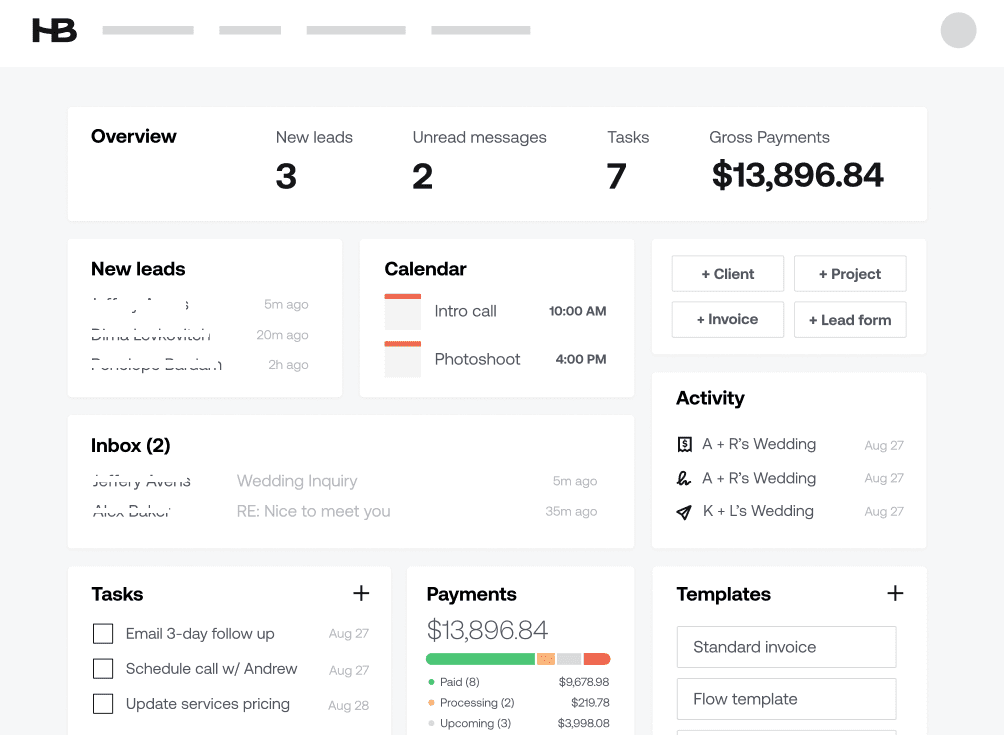
HoneyBook is built exclusively for USA-based independent professionals. It handles everything after the creative work ends — proposals, contracts, invoices, client onboarding, and payments.
In 2026, HoneyBook added AI-powered smart files that auto-populate client data, and an AI assistant that drafts contracts and follow-up emails. For freelancers losing hours to admin every week, this is a lifesaver.
Who it’s best for: All USA-based freelancers, especially photographers, consultants, designers, VAs
Key Features:
- AI-generated contracts and proposals
- Automated invoice reminders and payment collection
- Client portal for professional client experience
- Integrates with Zoom, QuickBooks, Gmail, and Calendly
Pricing:
- Starter: $19/month (billed annually)
- Essentials: $39/month
- Premium: $79/month
- 7-day free trial — no credit card
Common Mistake: Many freelancers use PayPal and Google Docs for invoicing and contracts — both lack legal enforceability and look unprofessional. HoneyBook’s e-signature contracts are legally binding across all 50 U.S. states. That matters when a client in California disputes payment.
| ✅ Pros | ❌ Cons |
|---|---|
| Built exclusively for USA freelancers | Not available outside the USA |
| Legally binding e-signatures | No meaningful free plan |
| AI drafts contracts and proposals | Steeper learning curve than PayPal |
| Automated payment reminders | Premium plan expensive for solopreneurs |
10. Otter.ai — Best for Freelancers Who Do Calls, Interviews, or Coaching
Otter.ai automatically transcribes meetings, Zoom calls, client interviews, and discovery sessions — in real time, with speaker identification.
For freelance coaches, consultants, journalists, and anyone who bills by the hour for conversations, Otter.ai eliminates the manual note-taking that eats 30–60 minutes after every call.
Who it’s best for: Freelance coaches, consultants, journalists, podcast producers
Key Features:
- Real-time transcription during Zoom, Google Meet, and Teams
- AI meeting summary after every call
- Speaker identification and timestamped notes
- Otter AI Chat — ask questions about your transcript
Pricing:
- Basic: Free — 300 minutes/month transcription
- Pro: $17/month — 1,200 minutes, advanced AI features
- Business: $30/month per user
| ✅ Pros | ❌ Cons |
|---|---|
| Generous free plan for light users | Accuracy drops with heavy accents |
| Real-time transcription is excellent | AI summaries can miss nuance |
| Saves 30–60 minutes per client call | Not useful for text-based freelancers |
| Direct Zoom and Meet integration | Pro plan needed for full value |
How Are USA Freelancers Using AI to Make More Money in 2026?
The freelance writing market did not collapse with AI — it bifurcated. Rates for commodity content dropped 60–80% as AI tools commoditized that work. Rates for expert-driven, deeply researched, industry-specific content held or increased. The writers earning $0.25–$0.50 per word in 2026 are those who use AI to handle the mechanical parts of writing and invest the freed time in the parts that require genuine expertise.
The same bifurcation is happening across every freelance category. Here’s how smart USA freelancers are using AI to grow income:
1. Completing More Projects in Less Time The same client deliverable that took 6 hours now takes 2.5 hours. The rates stayed the same. The profit per hour nearly tripled.
2. Offering AI-Powered Services as a Premium AI-enabled freelancers earn 40% more per hour. Clients are actively searching for freelancers who use AI tools. Mentioning specific tools and workflows in portfolio descriptions and quantifying the efficiency gains achieved drives higher rates.
3. Taking on More Clients Without Burning Out With AI handling first drafts, research, admin, and transcription, freelancers can serve 40–60% more clients without working more hours.
4. Building Productized Services Freelancers are using AI to standardize deliverables — turning custom work into templated services that can be delivered in 30–50% less time at the same price.
Is AI Replacing Freelancers in 2026?
This is the question everyone is asking — and the answer is nuanced.
Job postings for AI skills grew 300% year on year by 2025, while basic writing fell 21%, basic translation dropped 28%, and data entry declined 35%.
AI is replacing freelancers who do purely mechanical, repeatable work. It is not replacing freelancers who bring judgment, relationship management, strategic thinking, or specialized expertise.
The Upwork data shows the opposite of replacement is happening in the near term: clients are hiring more freelancers to help them implement AI, not fewer.
The freelancers at risk are the ones who refuse to adapt. The freelancers who thrive are those using AI as a multiplier for their existing expertise.
What’s the Best Free AI Tool for Freelancers With No Signup?
If you want to start with zero spend:
- Perplexity AI — 5 Pro searches/day free, no credit card
- Copy.ai — unlimited short-form copy, no credit card required
- Otter.ai — 300 minutes/month transcription, free forever
- Canva AI — free design with limited AI features
- ChatGPT Free — access to GPT-4o with usage limits
- Claude Free — strong writing assistance with daily limits
Pro Tip: Start with Perplexity + Claude Free + Canva Free. That three-tool free stack covers research, writing, and design — the three most common freelance needs — at zero cost.
How to Build Your AI Stack as a Freelancer in 2026
In my 12 years of working with freelancers and testing productivity tools, I’ve seen one consistent pattern: the freelancers who fail with AI try to use every tool at once. The ones who succeed pick two or three and go deep.
Here’s my recommended AI stack by freelancer type:
Freelance Writers: → Claude Pro ($20) + Perplexity Pro ($20) + Canva Free = $40/month
Social Media Freelancers: → ChatGPT Plus ($20) + Copy.ai Free + Canva Pro ($15) = $35/month
Freelance Developers: → GitHub Copilot ($10) + Claude Pro ($20) = $30/month
Virtual Assistants: → ChatGPT Plus ($20) + Notion AI ($10) + Otter.ai Free = $30/month
Freelance Consultants: → Claude Pro ($20) + Perplexity Pro ($20) + HoneyBook Starter ($19) = $59/month
Full Solopreneur Stack (All-in): → Claude Pro + Perplexity Pro + Canva Pro + HoneyBook Starter + Otter Pro = $91/month
That $91/month investment, used properly, saves 8–12 hours per week. At a $75/hour freelance rate, that’s $600–$900 in recaptured time every single week.
The math is not complicated.
Common Mistakes Freelancers Make With AI Tools
1. Using AI to replace thinking, not to accelerate it. AI is a first-draft machine, not a strategy machine. Your expertise is still the differentiator.
2. Not editing AI output before sending to clients. AI hallucinations are real. Every AI-generated deliverable needs a human review pass. Sending raw AI output to a client in New York or Los Angeles without review is a reputation risk.
3. Paying for too many tools. Three well-used tools beat ten barely-used ones. Audit your actual usage quarterly.
4. Not telling clients you use AI. Transparency builds trust. Most USA clients are fine with AI-assisted work — and many actively prefer it because it means faster turnaround. Be upfront about your workflow.
5. Using AI for tasks that require genuine human judgment. Relationship-building, creative direction, complex strategy, legal advice — AI assists these, it doesn’t replace them.
Confused between AI tools? Try our free comparison tool: 👇
Related Reading:
- ChatGPT vs Claude AI 2026 — In-Depth Comparison
- Perplexity AI Research Tools 2026 — How USA Businesses Do Real Research Faster
- Best Free AI Tools USA 2026 — No Sign-Up Required
Conclusion
The best AI tools for freelancers in 2026 aren’t the most expensive ones. They’re the ones that match your actual workflow — and that you actually use consistently.
Start small. Pick the two tools that solve your biggest bottleneck right now. Go deep on those. Then add one more after 30 days once the first two are habitual.
If you’re a writer, that’s Claude + Perplexity. If you’re a developer, that’s GitHub Copilot + Claude Code. If you’re a VA, that’s ChatGPT + Notion AI + Otter.
About 84% of skilled freelancers are optimistic and enthusiastic about AI improving their services. The best time to join them is right now — before the freelancers in your niche pull even further ahead.
The $20–$40/month you spend on the right AI stack will be the highest-ROI investment you make this year as an independent professional.
Need custom AI automation, chatbot, or AI integration for your business, medical practice, dental clinic, or app? 👇
Frequently Asked Questions
What is the best AI tool for freelancers in 2026?
There is no single best tool — it depends on your niche. Claude is best for writing and long-form content. ChatGPT is best for versatility. GitHub Copilot is best for developers. Perplexity is best for research. HoneyBook AI is best for admin and invoicing. The right answer is a 2–3 tool stack tailored to your specific freelance work.
Can freelancers use ChatGPT for free?
Yes. ChatGPT’s free plan gives access to GPT-4o with usage limits — enough for light daily use. For freelancers relying on it as a primary tool, the $20/month Plus plan removes most restrictions and unlocks web search, image generation, and voice mode.
How are freelancers using AI to make more money?
The main strategies are: completing projects in less time at the same rate (tripling effective hourly earnings), offering AI-powered services as a premium skill, taking on more clients without adding work hours, and building productized services that can be delivered faster at the same price point.
Is Jasper AI worth it for freelance writers?
Only if your primary deliverable is marketing copy — ads, landing pages, email campaigns. At $49/month, it’s overpriced for general writing. For general freelance writing, Claude Pro at $20/month delivers better quality at a lower price. Jasper earns its cost for high-volume copywriters with multiple clients.
What AI tools do top USA freelancers use?
Based on 2026 workflow data, top USA freelancers most commonly use: Claude or ChatGPT for writing and strategy, Perplexity for research, GitHub Copilot for coding, Canva AI for design, and HoneyBook for admin. The most productive freelancers use a 2–4 tool stack, not 10+ tools.
Can AI replace freelancers in 2026?
Partially — and selectively. AI is replacing freelancers doing purely mechanical, repetitive work: basic writing, data entry, simple translation. It is not replacing freelancers with specialized expertise, strong client relationships, and strategic thinking skills. Demand for AI-skilled freelancers on Upwork grew 109% in 2025 — the market is rewarding adaptation.
What is the best free AI writing tool for freelancers?
Claude Free is the strongest free AI writing tool for quality. Copy.ai’s free plan is best for short-form copy volume. ChatGPT Free offers the most versatility. For freelancers with zero budget, Claude Free + Copy.ai Free covers most writing use cases at no cost.
How much time can AI save a freelancer per week?
Research consistently shows AI-using freelancers save approximately 8 hours per week on average. Some freelancers report even higher savings — the same deliverable that took 6 hours now takes 2.5 hours with an optimized AI workflow. The actual time saved depends on your niche and how deeply you integrate AI into your process.
Is Claude better than ChatGPT for freelance work?
Claude is better specifically for long-form writing, document analysis, and coding quality. ChatGPT is better for image generation, voice interaction, memory across sessions, and general versatility. Most professional freelancers in 2026 use both — Claude as their primary writing tool and ChatGPT when they need images, voice, or a broader feature set.
What AI tools help freelancers with invoicing and admin?
HoneyBook AI is the best USA-specific tool for invoicing, contracts, and client admin — with AI-generated proposals and legally binding e-signatures valid across all 50 states. Notion AI handles project organization and client briefs. Otter.ai automates meeting notes. For basic invoicing, FreshBooks also offers AI-powered features worth exploring for USA-based freelancers.

AI Nexte Editorial Team researches, tests, and reviews AI tools, workflows, and automation platforms for businesses, creators, and professionals. Our content is based on hands-on testing, industry research, feature analysis, and real-world use cases.








No Comments