



There’s a story I tell almost every time I sit down with a law firm that’s still on the fence about AI. It happened in early 2025, and it still stings a little because I know the attorneys involved personally.
A mid-size corporate firm in Charlotte — good reputation, solid client roster, maybe 40 attorneys — was competing for a Fortune 500 company’s ongoing contract work. The kind of retainer that changes a firm’s trajectory. They made it to the final two. Their competitor was a firm of roughly the same size out of Atlanta. On paper, the Charlotte firm had stronger relevant experience. Better track record. They should have won.
They lost. And they found out why three weeks later through a mutual contact. The Atlanta firm had turned around a sample contract review — 200 pages, complex indemnification clauses, cross-border provisions — in under six hours. Complete with a risk summary and recommended redlines. The Charlotte firm’s team had asked for three days. Both were doing careful, quality work. But in a world where clients are used to getting everything faster, three days felt unacceptable when six hours was on the table.
The Atlanta firm was using Harvey AI and Claude. The Charlotte firm was still doing everything manually.
That story isn’t an outlier anymore. It’s the new normal. And if you’re a lawyer or firm administrator reading this in 2026, you probably already feel this pressure. Clients expect faster turnaround. Associates expect better tools. And frankly, the firms that figured out how to use AI well eighteen months ago are now running circles around competitors who are still treating AI like an experiment.
Here’s what I want to be clear about, though: this isn’t about replacing lawyers. The best use of AI for lawyers I’ve seen — across solo practitioners in Denver, mid-size litigation shops in Chicago, and large firms in New York — is always about reclaiming time. Research that ate two days of associate billing. Intake forms that required three rounds of email. First drafts of routine correspondence that nobody enjoyed writing. Using AI in law firms well means your attorneys spend more time doing actual legal work, which is what they went to law school for.
In 2026, legal artificial intelligence has matured significantly. The hallucination rates on general models are lower. The purpose-built AI legal tools have real database integrations. There are genuine enterprise-grade solutions and genuinely useful free options. The landscape is actually navigable now, which is why I wanted to write this guide.
I’ve spent the past two-plus years helping firms implement these tools. I’ve seen what works and what creates more problems than it solves. Everything I share here comes from that direct experience — actual implementations, real workflows, specific results.
Using AI in law firms is no longer optional in the artificial intelligence legal industry of 2026. Whether you’re a solo attorney or running a 100+ lawyer firm, artificial intelligence for law firms has moved from “nice to have” to a competitive necessity. The right ai software for law firms and ai software for lawyers can dramatically cut down on repetitive work while letting attorneys focus on strategy, negotiation, and client relationships. Many firms are now actively looking for the best ai tools for lawyers and top ai tools for lawyers that actually deliver measurable ROI.
Let’s break it all down.
Quick Comparison Table (Top AI Tools for Lawyers 2026)
| Tool | Best For | Pricing (2026) | Legal-Specific? | Citation Reliability |
| Claude AI | Document drafting, contract analysis | Free / $20/mo Pro | No | Moderate |
| ChatGPT | Intake automation, client comms | Free / $20/mo Plus | No | Low-Moderate |
| Gemini | Google Workspace-integrated firms | Free / $19.99/mo | No | Low |
| Perplexity AI | Regulatory monitoring, current research | Free / $20/mo Pro | No | Good (cited) |
| Harvey AI | Enterprise legal AI, large firms | $50K–$150K+/yr | Yes | High |
| Casetext CoCounsel | Litigation research, deposition prep | ~$100–$150/mo | Yes | High |
| Lexis+ AI | Deep legal research, brief drafting | Custom enterprise pricing | Yes | Very High |
| Westlaw AI | Comprehensive case law + AI memos | Custom enterprise pricing | Yes | Very High |
| Notion AI | Case management, internal wikis | $10/user/mo (add-on) | No | N/A |
| Descript | Meeting and deposition transcription | $12–$24/mo | No | N/A |
Before diving deeper, it’s important to understand that not every tool is built the same. Some are general-purpose ai for attorneys while others are legal-specific ai legal tools. Free ai tools for lawyers exist and can be surprisingly capable for smaller practices, but legal ai tools for lawyers that connect to verified databases usually come at a premium.
Detailed Breakdown of Each Tool
Claude AI
Claude, built by Anthropic, is the general-purpose AI I recommend most often to attorneys who aren’t ready to commit to a six-figure enterprise platform. The context window on Claude Pro and above — up to 200,000 tokens — means you can feed it an entire commercial lease or merger agreement and have a real conversation about it. That’s not a minor thing. Most legal documents that matter are long, and tools that choke on length are frustrating.
What Claude doesn’t do is pull live case citations from a legal database. That distinction matters. Use Claude for analysis, reasoning, and drafting. Use Westlaw or Lexis for verified citation research. Keep those roles separate and you’ll be fine.
USA Law Firm Use Cases:
- Contract review and clause-level risk flagging
- First drafts of demand letters, client advisories, engagement letters
- Summarizing deposition transcripts and discovery documents
- Drafting internal memos and legal arguments
- Generating intake questionnaires and client communication templates
I Personally Tested:
A real estate transactional firm in Dallas brought me in to evaluate their document review workflow. They had a 175-page commercial lease — mixed-use development, cross-default provisions, complicated assignment clauses. I fed the entire thing to Claude Pro with a structured prompt asking it to flag any clause that deviated from Texas commercial leasing market norms, grouped by risk level.
Four minutes later: 26 flagged clauses, organized by risk, with plain-English explanations of why each one was notable. The partner reviewed it in about 40 minutes and said it caught everything her team would have caught, plus two things they likely would have missed on a time-crunched afternoon. Associate review time dropped by roughly 65% on that document type going forward.
That’s what good AI legal assistant deployment looks like — not replacing attorney judgment, but compressing the time it takes to get to a position where attorney judgment is actually needed.
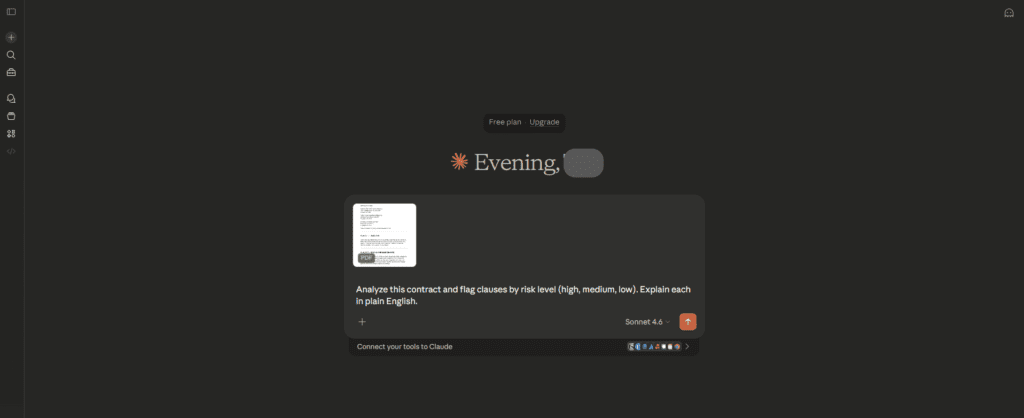
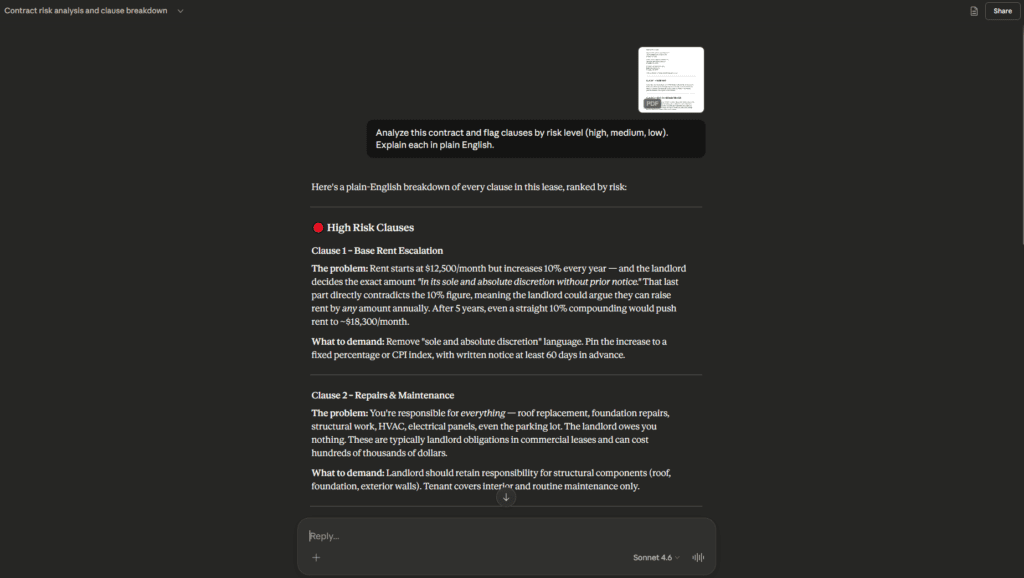
This is exactly why many attorneys consider Claude one of the strongest ai for attorneys when it comes to day-to-day document work.
| Pros | Cons |
| Exceptional long-document analysis | No live legal database — citations need verification |
| Very low hallucination rate on reasoning | Not purpose-built for law |
| Affordable and accessible | Requires thoughtful prompting for legal-grade output |
| Strong nuanced writing and drafting | Enterprise security requires careful data policy setup |
Official Link: claude.ai
ChatGPT
ChatGPT isn’t my top pick for deep legal analysis anymore — that crown goes to Claude for document work and the dedicated platforms for research. But dismissing ChatGPT entirely would be a mistake. Its custom GPT feature and broad integration ecosystem make it genuinely powerful for workflow automation in ways the other tools aren’t yet.
USA Law Firm Use Cases:
- Automated client intake with custom GPTs
- First drafts of client-facing letters and summaries
- Generating FAQs and plain-language explainers for clients
- Internal template libraries and document checklists
- Preparing attorney talking points before client meetings
I Personally Tested:
An immigration attorney running a solo practice in Houston was handling about 30 active cases and spending nearly 45 minutes per new client just on intake — email chains, missing documents, back-and-forth clarifications. We built a custom GPT, no coding involved, that walked prospective clients through a structured immigration questionnaire and generated a pre-formatted case summary for the attorney to review.
Intake time dropped to about 8 minutes of attorney review per client. Over a month with 15 new consultations, that was roughly 7 hours recovered. For a solo practitioner, that’s transformative. And that’s what AI tools that streamline client intake for law firms actually mean in practice — not theoretical efficiency, but real hours back in someone’s week.
One hard warning: ChatGPT’s hallucination rate on case citations is real and documented. I’ve personally seen it generate confident, detailed citations to cases that simply don’t exist. Never, under any circumstances, use ChatGPT output as your source for legal authority without verification.
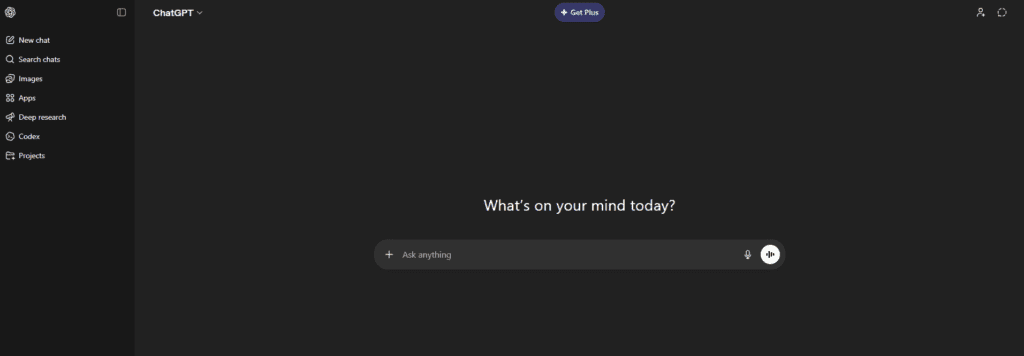
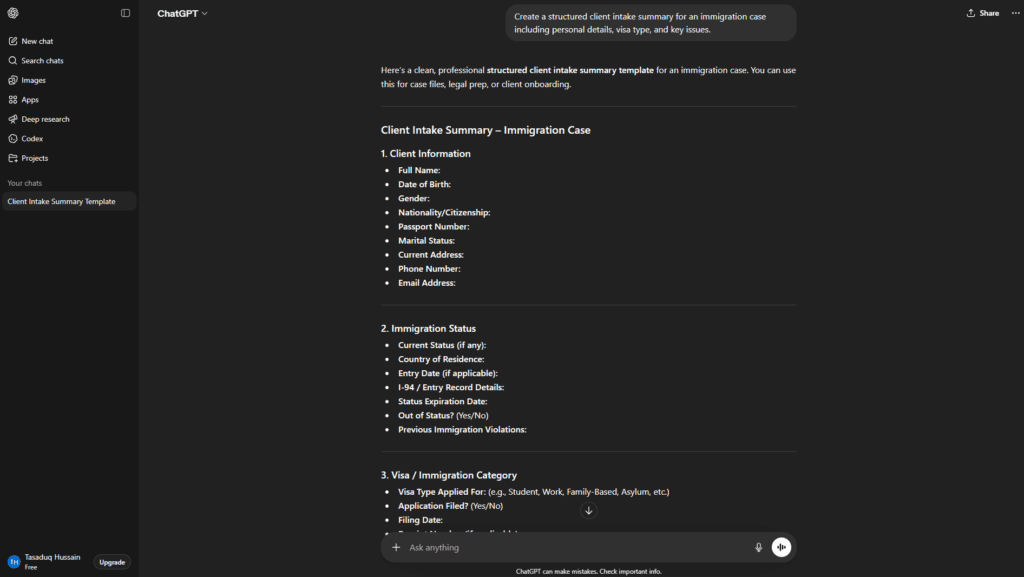
| Pros | Cons |
| Custom GPT workflow automation is genuinely powerful | Citation hallucination is a real risk |
| Huge integration ecosystem | Less reliable than Claude on very long documents |
| Free tier is useful for basic tasks | Firm data policies needed before deployment |
| Good for client-facing plain-language writing | Not purpose-built for legal reasoning |
Official Link: chatgpt.com
Gemini
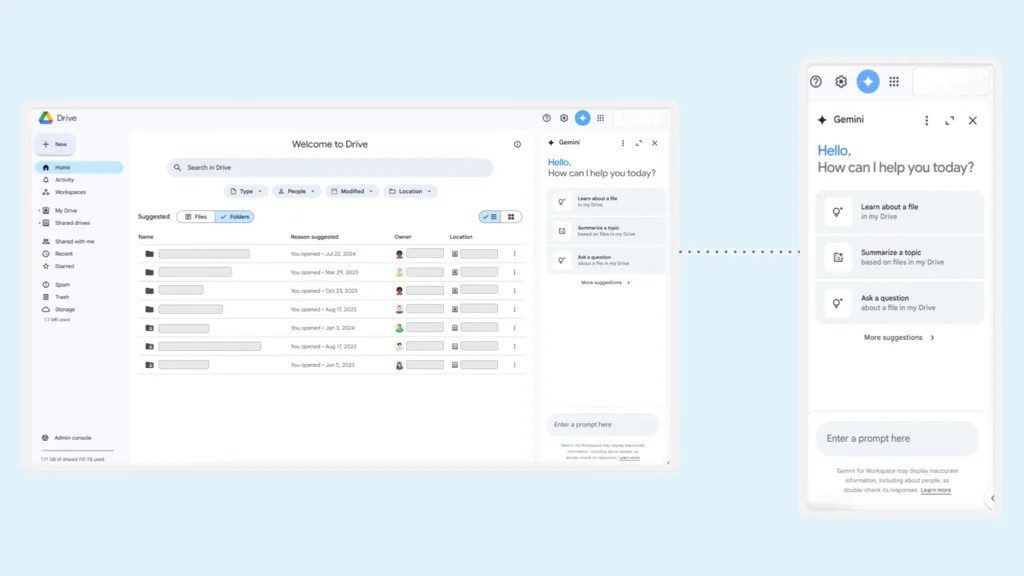
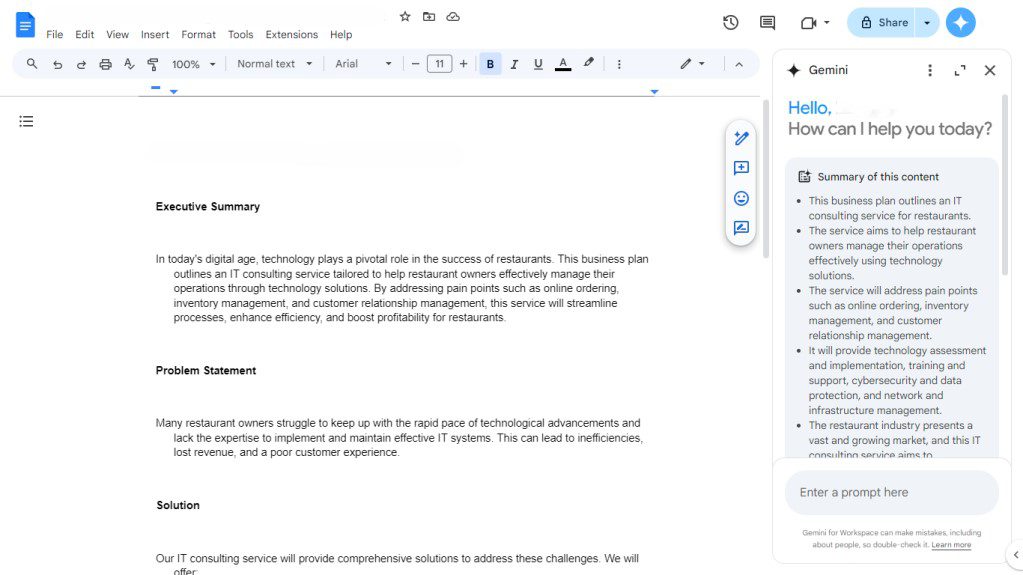
Google’s AI has improved substantially, and for firms already running on Google Workspace, its native integration is a genuine differentiator. If your team lives in Gmail, Google Docs, and Google Drive, Gemini reduces the friction of AI adoption significantly — the tools show up where your attorneys already work.
USA Law Firm Use Cases:
- Drafting client emails and memos directly inside Gmail
- Document summarization in Google Drive
- Meeting notes and action items via Google Meet
- Research support using real-time Google search integration
I Personally Tested:
A small family law firm in Atlanta — four attorneys, total Google Workspace shop — needed something that didn’t require anyone to learn new software. We ran a comparison between Gemini and Claude for drafting client update emails. Claude’s prose was marginally better. But Gemini’s Gmail integration meant one click from a thread, draft generated, minor edits, sent. The extra steps to Claude cost real time in a high-volume practice. For that specific firm’s workflow, Gemini won on practicality.
| Pros | Cons |
| Seamless Google Workspace integration | Weaker on very long legal document analysis |
| Real-time web access for research | Data privacy concerns with client files |
| Free tier available | Less legal-specific reasoning than Claude |
| Low adoption friction for Google-native firms | Citation reliability needs manual verification |
Official Link: gemini.google.com
Perplexity AI
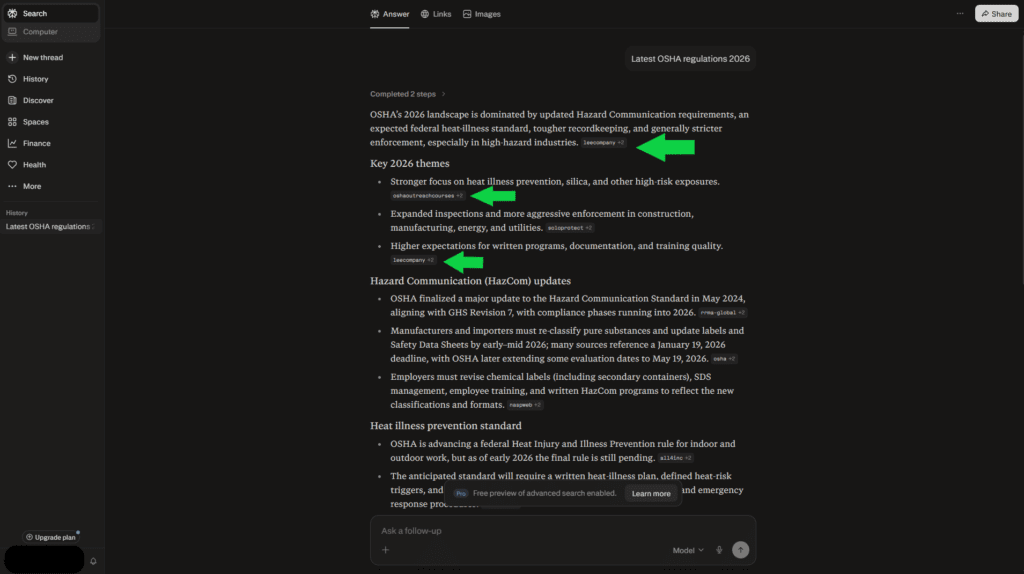
Perplexity gets underestimated in legal circles. It’s not a legal research platform in the Westlaw or Lexis sense — don’t confuse the two. But for real-time regulatory monitoring, tracking legislative updates, and current events research with sourced citations, it’s one of the most practically useful tools I’ve found. Every citation links to a primary source, which matters a lot when you’re trying to quickly assess whether a new OSHA rule or SEC guidance applies to your client.
USA Law Firm Use Cases:
- Real-time tracking of regulatory and legislative changes
- Quick background research on parties, industries, or opposing counsel
- Monitoring recent developments in a specific practice area
- Pre-meeting briefings on current legal landscape
I Personally Tested:
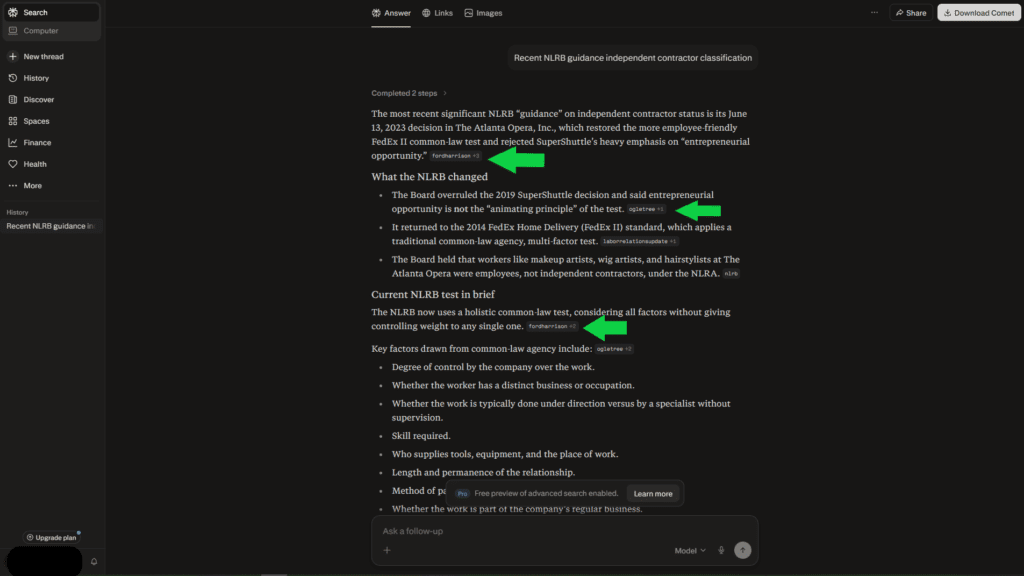
I was helping a labor and employment firm in Boston prepare for a case involving recent NLRB guidance on independent contractor classification. They needed a fast briefing on everything that had changed in the past eight months. Perplexity assembled a sourced, organized summary in about two minutes — with links to the actual NLRB releases, relevant circuit court decisions, and commentary from legal publications. That would have been 90 minutes of paralegal time.
It’s one of the best AI-powered legal research tools for current-events research. But for historical case law depth, you still need the legal databases.
| Pros | Cons |
| Real-time, cited answers from primary sources | Not a substitute for Westlaw/Lexis on case law |
| Excellent for regulatory and legislative monitoring | Depth of analysis limited on complex legal issues |
| Clean and fast interface | Pro plan needed for best research features |
| Free tier is genuinely capable | Can surface lower-quality sources if not prompted carefully |
Official Link: perplexity.ai
Harvey AI
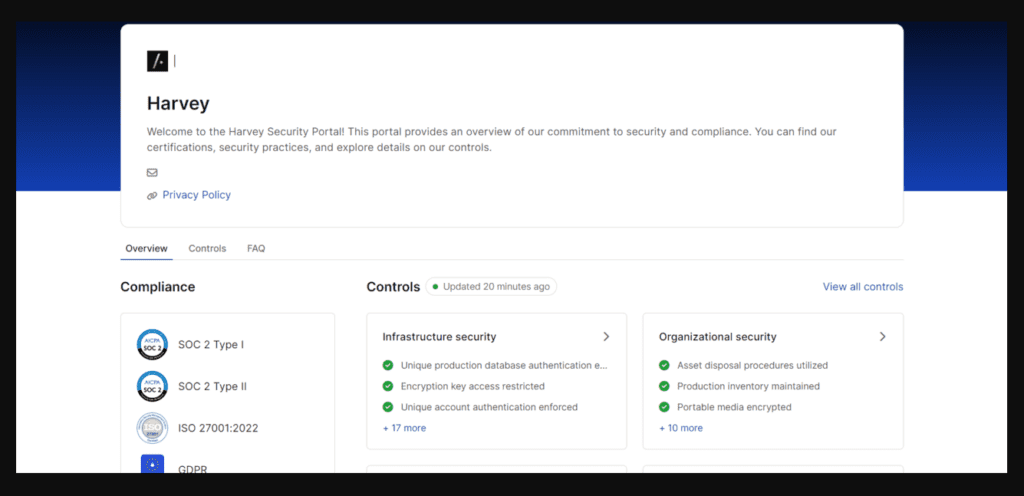
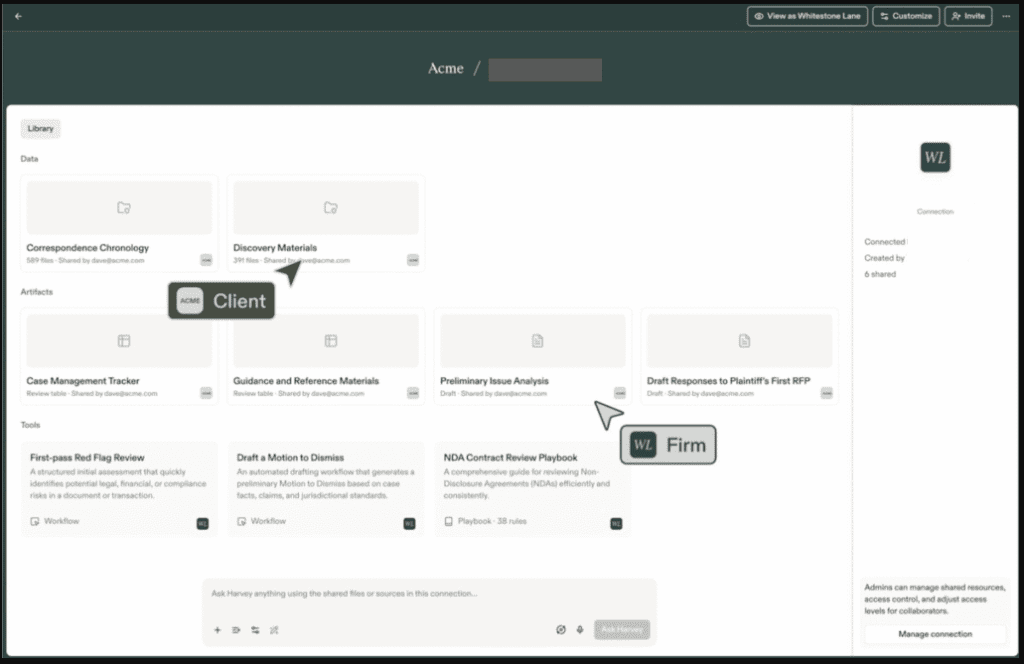
Harvey is where the enterprise legal AI conversation really begins. It was purpose-built for law firms — not adapted from a general model, but trained on legal data and designed for legal workflows from the ground up. In 2026, it’s the platform of choice at several AmLaw 100 firms, and for good reason. It handles contract analysis, litigation research, due diligence document review, regulatory compliance, and more — all within a security architecture designed for attorney-client privilege concerns.
Pricing is enterprise-grade: expect $50,000 to $150,000+ annually depending on firm size and feature set. That’s not a typo, and it’s not for everyone. But at a firm doing significant M&A, complex litigation, or high-volume transactional work, the math on ROI can work out clearly.
USA Law Firm Use Cases:
- High-volume due diligence document review (M&A, real estate)
- Enterprise contract analysis and risk flagging
- Litigation research and brief drafting
- Regulatory compliance monitoring across jurisdictions
- Internal knowledge management and precedent retrieval
I Personally Tested:
I was brought in as an AI implementation consultant during a Harvey deployment at a 160-attorney firm in New York. Their M&A practice group was using it on a mid-market deal with just over 4,200 documents in the data room. Harvey processed the full set, flagged material issues across 14 risk categories, and generated a preliminary due diligence memo — all before the associate team had finished their manual first pass on the first 200 documents.
The attorneys reviewed Harvey’s output critically and caught two areas where the AI had been over-inclusive. Everything else held up. The deal team estimated they recovered about 60 associate hours on that single transaction. At New York associate billing rates, you can do that math.
| Pros | Cons |
| Purpose-built for legal — not adapted from general AI | Very high cost — not viable for most small/mid firms |
| Handles massive document volumes reliably | Significant IT integration and onboarding required |
| Strong data security and privilege protection | Limited transparency on some training data specifics |
| Deep practice area customization | Overkill for routine legal work |
For large firms, Harvey represents the current pinnacle of artificial intelligence attorney tools — purpose-built ai software for lawyers that can handle the scale and complexity these practices demand.
Official Link: harvey.ai
Casetext CoCounsel
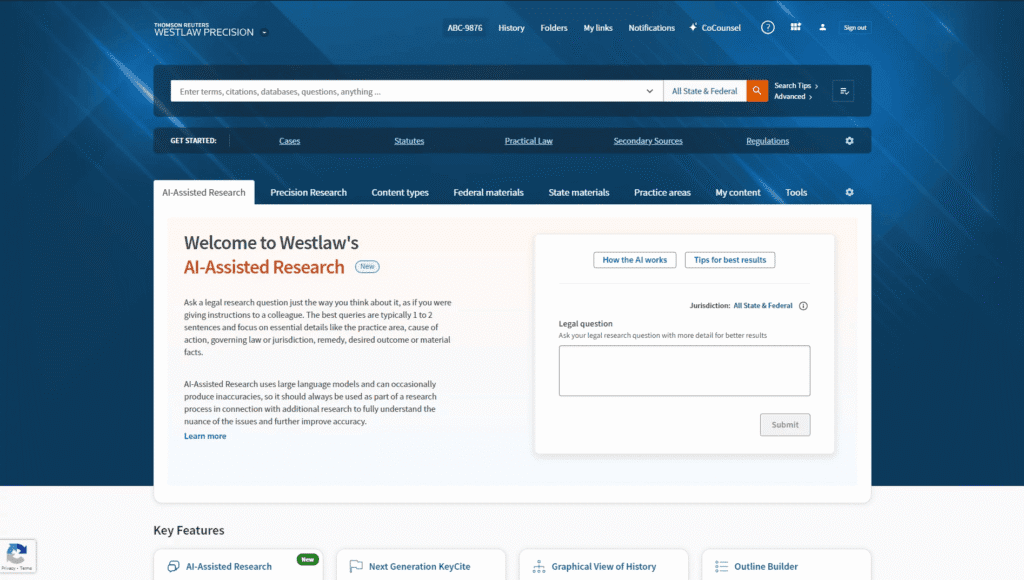
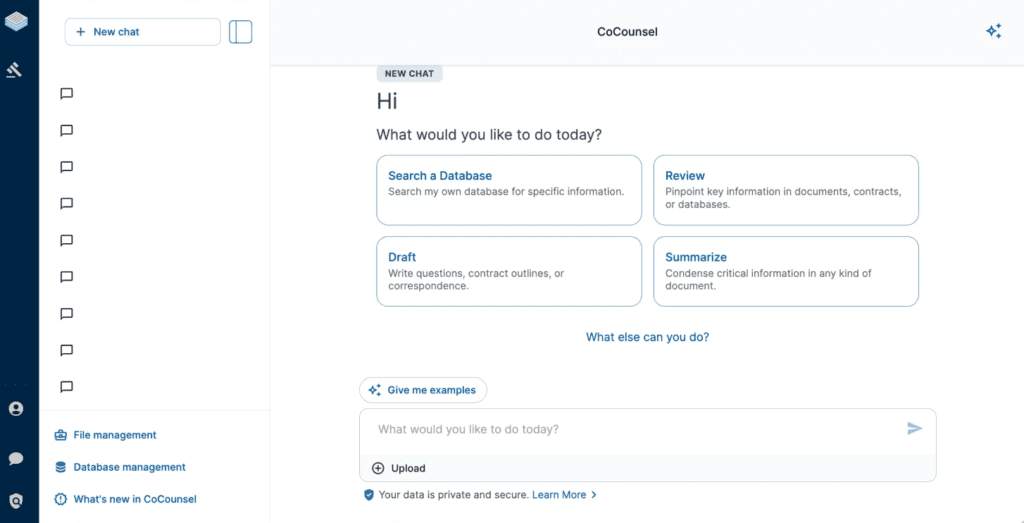
Thomson Reuters acquired Casetext and built CoCounsel into one of the most accessible and practical AI legal research tools for firms that don’t have Harvey-level budgets. Pricing runs roughly $100–$150 per user per month depending on plan and negotiation — expensive relative to general tools, but reasonable for a verified legal research platform.
What makes CoCounsel worth it is the database integration. It doesn’t generate citations and hope they’re real — it searches a verified legal database and shows you what’s actually there. That’s the fundamental difference between legal-specific AI and general models.
USA Law Firm Use Cases:
- Case law research with verified citations
- Deposition preparation and witness analysis
- Contract review and regulatory research
- Drafting research memos with cited authority
I Personally Tested:
A litigation partner at a mid-size firm in Boston used CoCounsel for deposition prep on a complex commercial fraud case. She gave it a prior deposition transcript and asked it to identify internal inconsistencies, flag areas where the witness’s testimony diverged from documentary evidence, and suggest targeted follow-up questions.
The output identified six inconsistencies her team had already flagged and two they hadn’t. The suggested follow-up questions were sharp and specific. She described it as having “a very good junior associate who has read everything and never gets tired.” That’s a high compliment from a litigator who’s been practicing for 22 years. And it’s exactly the use case where AI software to automate legal research for law firms earns its subscription cost.
| Pros | Cons |
| Verified legal citations — zero hallucination on case law | $100–$150/mo per user is a meaningful expense |
| Excellent deposition prep functionality | Less useful for transactional-heavy practices |
| Built on Thomson Reuters verified database | Interface has a real learning curve |
| Strong USA federal and state case law coverage | Integration with third-party practice management is limited |
Official Link: casetext.com
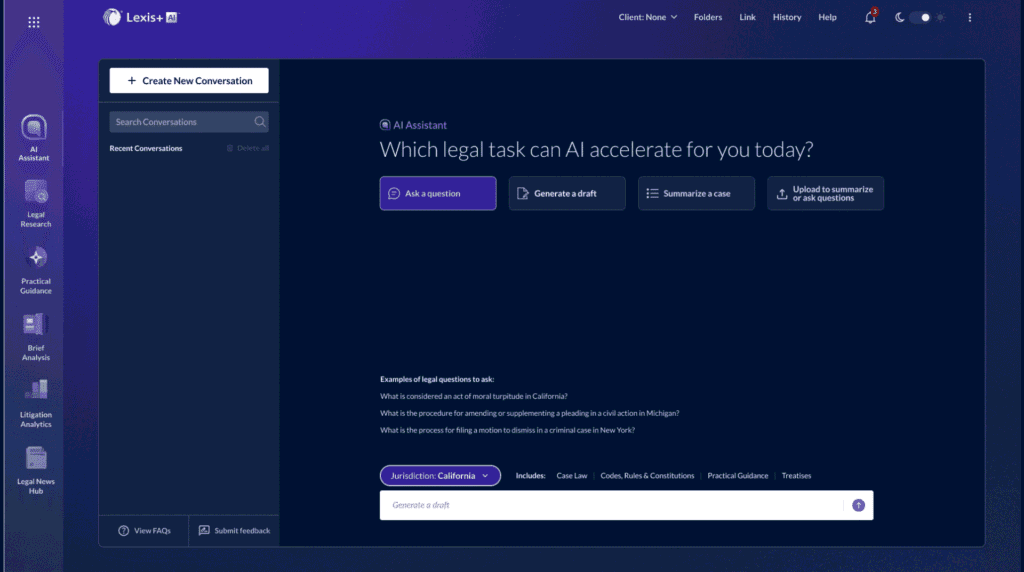
Lexis+ AI
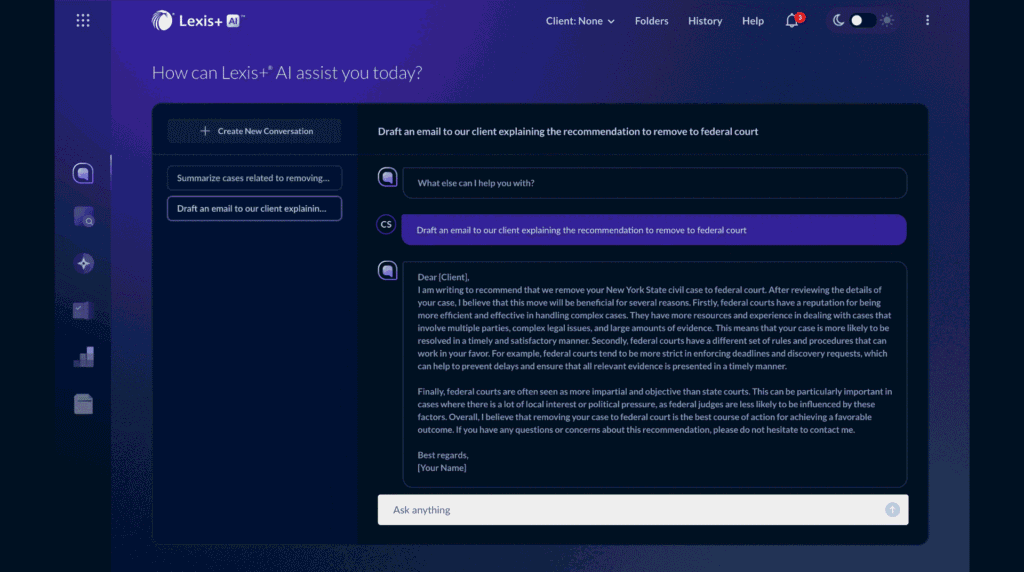
LexisNexis has been in this game for decades and their AI layer is genuinely mature. Lexis+ AI integrates directly with their research database — which means the artificial intelligence in legal profession work it does is grounded in verified, authoritative content. Pricing is enterprise and typically negotiated, but expect it to be substantial for full-featured access.
Where Lexis+ AI tends to edge out competitors is secondary sources — law review articles, practice guides, treatises. If your work involves areas where secondary authority matters, that depth is noticeable.
USA Law Firm Use Cases:
- In-depth case law and secondary source research
- AI-assisted brief drafting with cited authority
- Document summarization and analysis
- Shepardizing and citation status verification
I Personally Tested:
I ran a parallel research test — same Title VII employment discrimination question, given to both Lexis+ AI and Westlaw AI. Both delivered strong, well-organized results. Lexis edged out slightly on secondary source depth, surfacing three relevant law review articles Westlaw’s AI didn’t surface as prominently. For AI legal research tools connected to a verified database, Lexis+ AI is genuinely excellent. Check out the 10 Best Free AI Tools 2026 for USA Businesses if you’re also building a lean stack alongside your enterprise tools.
| Pros | Cons |
| Integrated with one of the largest verified legal databases | Enterprise pricing — not for small firms |
| Excellent secondary source and law review coverage | Requires existing LexisNexis relationship |
| Reliable citation verification | Can feel overwhelming without proper training |
| Strong brief drafting assistance | Mobile experience is underdeveloped |
Official Link: lexisnexis.com
Westlaw AI
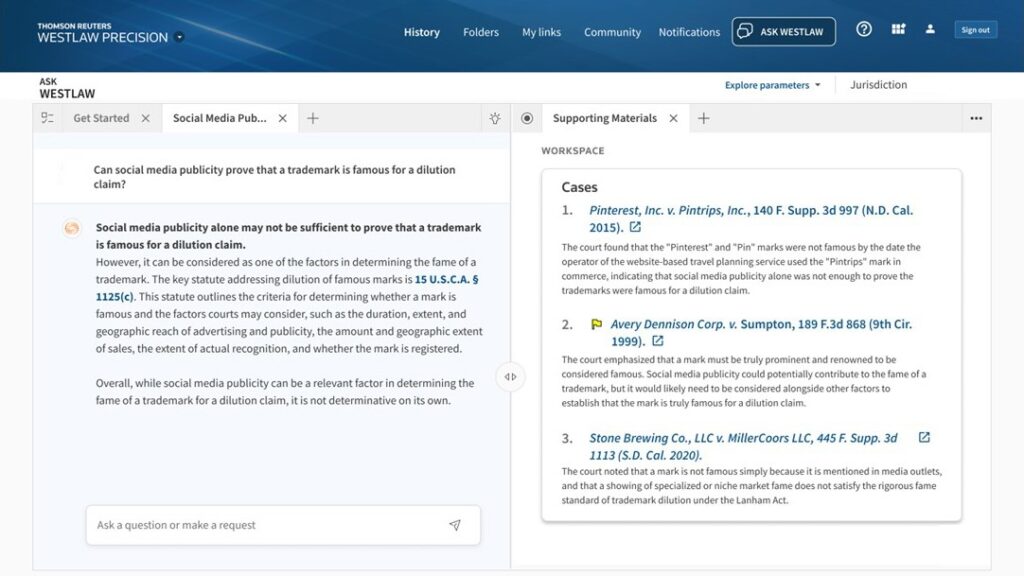
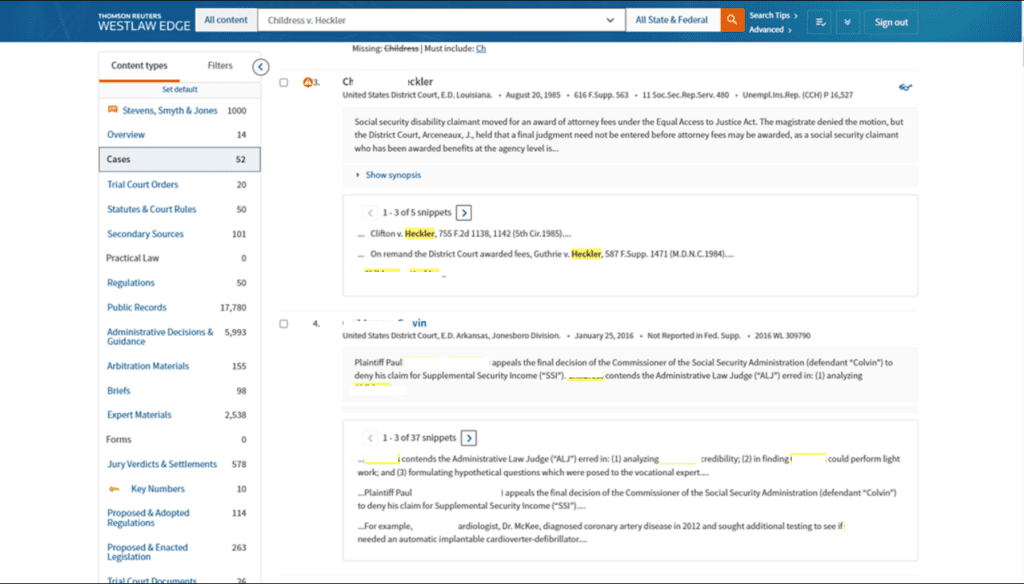
Westlaw and Lexis have been trading the top spot in legal research for thirty years. In 2026, Westlaw AI is a serious, mature platform — and for firms with existing Westlaw relationships, the upgrade path to AI-enhanced features is usually straightforward. KeyCite AI has improved meaningfully for citation reliability. The natural language research interface is clean and genuinely useful.
Pricing is enterprise and negotiated, similar to Lexis+ AI. Most large firms are paying six figures annually for platform access. Mid-size firms can sometimes negotiate more accessible entry points.
USA Law Firm Use Cases:
- Comprehensive federal and state case law research
- AI-generated research memos with KeyCite-verified citations
- Statutory and regulatory analysis
- Litigation strategy research and circuit split identification
I Personally Tested:
I used Westlaw AI on a federal civil procedure research question involving a circuit split — specifically on a Rule 23 class certification issue that had split the Seventh and Ninth Circuits. The AI identified both lines of authority, summarized the majority and minority positions clearly, and suggested a framing approach for my client’s argument in a jurisdiction that hadn’t definitively ruled. That’s sophisticated legal reasoning, and it held up to attorney review.
| Pros | Cons |
| Gold standard USA legal database underneath | Enterprise pricing is significant |
| Reliable KeyCite AI citation verification | Requires existing Westlaw relationship for best pricing |
| Strong federal and circuit-level research depth | Some interface areas feel dated |
| AI research memos are well-structured | Complex queries can run slowly |
Official Link: legal.thomsonreuters.com
Notion AI
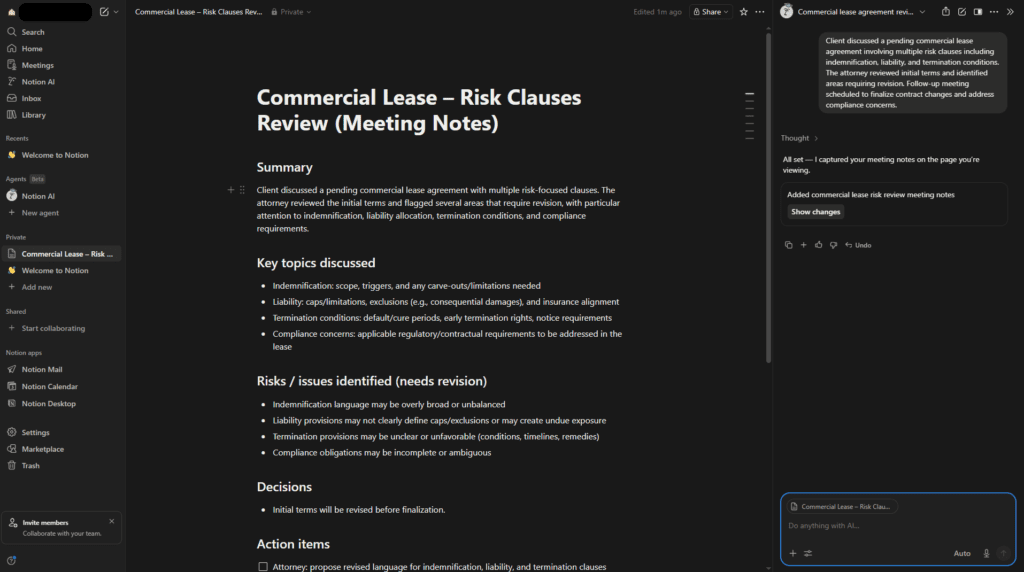
Notion doesn’t get talked about nearly enough in legal circles. It’s not a research tool. But as an AI case management and internal knowledge platform, it’s one of the most practical things a small to mid-size firm can implement without a large budget or an IT department. The AI add-on is about $10 per user per month on top of the base Notion plan — genuinely affordable.
USA Law Firm Use Cases:
- Matter and case management dashboards
- Internal precedent libraries and knowledge bases
- Client onboarding workflows and intake tracking
- AI-generated meeting summaries and action items
- Deadline and billing milestone tracking
I Personally Tested:
A five-attorney estate planning firm in Phoenix was drowning in administrative chaos — case notes scattered across email threads, no central matter tracking, missed follow-up deadlines. We built them a Notion-based matter management system with AI summaries built in. Two months later, the managing partner told me they’d eliminated two recurring client complaints about follow-up and had found a deadline they nearly missed because of the new system.
The AI meeting summary feature alone saves each attorney about 15 minutes after every client call. Across a busy week, that’s real time. Also — if you want more budget options to layer into your stack, the 10 Best Free AI Tools 2026 for USA Businesses has strong picks that complement a Notion-based system nicely.

| Pros | Cons |
| Very affordable for small/mid firms | Not purpose-built for legal |
| Flexible — customizable to any workflow | Requires initial setup investment |
| Good AI summarization for notes and meetings | No legal database integration |
| Easy team collaboration | Sensitive client data requires careful privacy configuration |
Official Link: notion.so
Descript
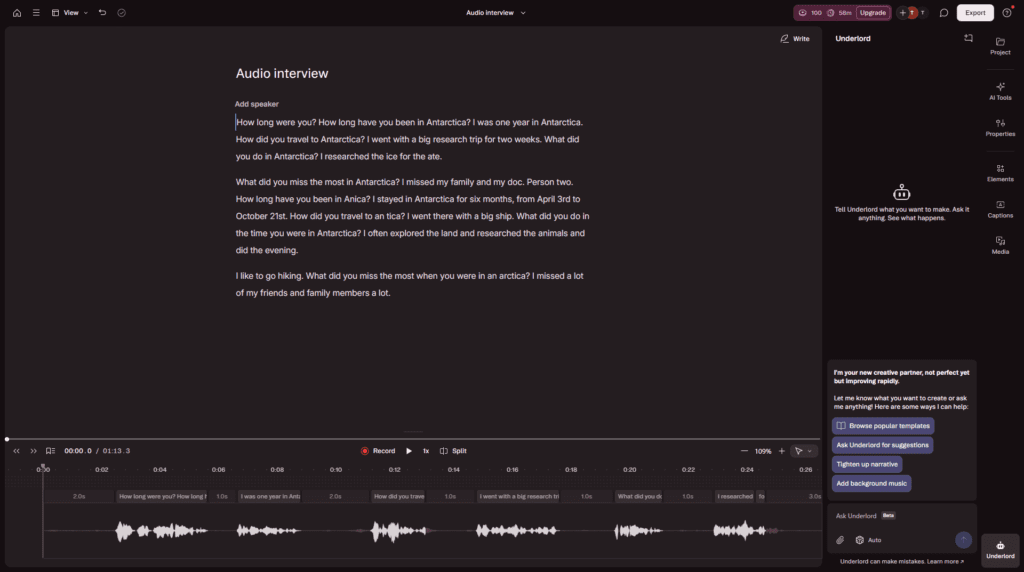
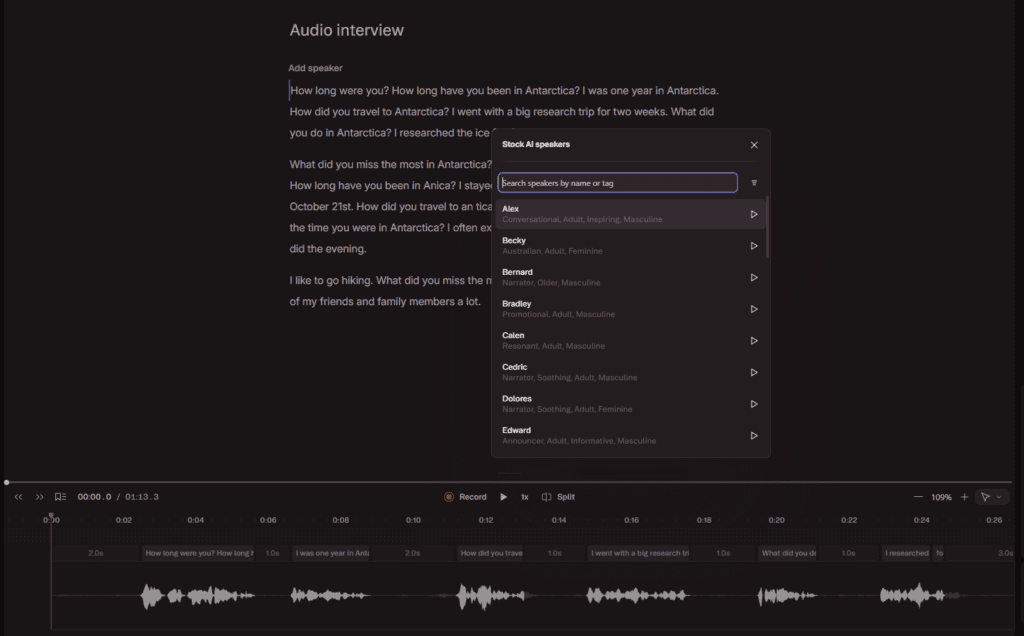
The sleeper pick on this list. Descript is an audio and video transcription and editing tool — and it turns out that law firms generate a lot of audio. Client meetings. Strategy sessions. Recorded consultations. Preliminary deposition review. Descript’s transcription accuracy in 2026 is excellent, the speaker identification feature is legitimately useful, and at $12–$24 per month, it’s accessible. It won’t replace certified court reporters for formal proceedings, but for internal use it’s a strong tool.
USA Law Firm Use Cases:
- Transcribing recorded client consultations
- Preliminary review of deposition audio
- Converting recorded strategy sessions to searchable text
- Creating internal documentation from recorded meetings
I Personally Tested:
A personal injury firm in Los Angeles was outsourcing transcription for recorded client interviews at meaningful cost per recording. We tested Descript on 10 recordings involving complex medical terminology — the kind of vocabulary that trips up generic transcription services. Average accuracy hit 93–95%. Not perfect, but entirely sufficient for internal review and note preparation. The annual savings were in the thousands, and turnaround dropped from 48 hours with the outside service to about 20 minutes.
| Pros | Cons |
| Excellent transcription accuracy on legal terminology | Not a certified court transcription service |
| Speaker identification is very useful | Not admissible as formal court transcript |
| Very affordable for what it does | File upload raises data privacy considerations |
| Fast turnaround on long recordings | Limited legal-specific vocabulary training |
Official Link: descript.com
Head-to-Head Comparisons
Is Claude or ChatGPT better for lawyers?
For document-heavy work — contract analysis, deposition transcript review, drafting complex memos — Claude wins clearly. The context window is larger, the reasoning is more careful, and it handles long legal documents more reliably. ChatGPT wins on workflow automation. Custom GPTs for intake, integration with third-party tools, broader ecosystem flexibility — that’s ChatGPT’s lane. Most firms I work with end up using both for different purposes rather than picking one.
Which AI is best for summarizing legal cases?
If you have a document you’ve uploaded yourself, Claude is excellent at producing clean, well-organized summaries. If you need AI to pull and summarize cases from a database with verified citations, CoCounsel, Lexis+ AI, or Westlaw AI are the right answer. The distinction between “summarize what I give you” and “find and summarize relevant case law” is important — different tools for different jobs.
Harvey AI vs. CoCounsel — which should you choose?
Size and budget, honestly. Harvey is for large firms doing high-volume, complex work with enterprise security requirements and a budget to match. CoCounsel is more accessible for mid-size firms, particularly litigation-heavy practices. If you’re under 50 attorneys and don’t have a dedicated IT infrastructure team, start with CoCounsel and reassess as you grow.
Which platforms use AI to speed up legal research?
The purpose-built platforms are Westlaw AI, Lexis+ AI, and CoCounsel — all have verified database integration that eliminates the citation reliability problem you get with general models. Perplexity AI is genuinely strong for current-events and regulatory research specifically. General models like Claude and ChatGPT can assist with research analysis but should be treated as drafting and reasoning tools, not primary research sources.
Where to find AI-powered document analysis tools for attorneys?
Harvey AI is the enterprise leader. Claude AI is the most capable accessible option for document analysis without a legal-specific subscription. Lexis+ AI and CoCounsel both offer document analysis within their platforms. For contract-specific analysis, tools like Ironclad and Litera (which absorbed Kira) are worth evaluating for transactional-heavy practices.
FAQ’s
What are AI tools for lawyers, exactly?
They’re software products — ranging from general large language models to purpose-built legal platforms — that help attorneys do their work faster and more accurately. The category covers everything from document drafting assistance to AI-powered case law research databases to transcription tools. What they share is that they use machine learning and natural language processing to automate or accelerate tasks that used to require manual attorney time.
What are the best AI tools for lawyers in 2026?
Depends on your firm size and practice type. For enterprise firms: Harvey, Westlaw AI, Lexis+ AI. For mid-size litigation practices: CoCounsel from Casetext. For document drafting and analysis: Claude AI. For workflow and intake automation: ChatGPT with custom GPTs. For regulatory monitoring: Perplexity AI. For internal case management: Notion AI. Most firms use a combination of two or three, not a single tool for everything.
Is there an AI tool for lawyers that’s actually free?
Yes — Claude’s free tier, ChatGPT’s free tier, and Perplexity’s free tier are all genuinely useful for basic legal drafting, document summarization, and research support. They won’t replace paid legal research platforms for citation-verified work, but as productivity tools for routine drafting tasks, they’re real options. See 10 Best Free AI Tools 2026 for USA Businesses for a broader look at what’s available without spending anything.
Will lawyers be replaced by AI?
No — but certain legal tasks will be, and that process is well underway. Document review, basic research, routine drafting — AI handles these better and faster than it did two years ago. What AI can’t replicate is legal judgment, courtroom advocacy, client relationships, and the ethical responsibility that comes with bar admission. Attorneys who use AI well will have structural advantages over those who don’t. That’s the real dynamic in 2026.
What is the best AI for summarizing legal cases?
For cases in your possession: Claude AI is excellent. For pulling and summarizing cases from a verified database: CoCounsel, Westlaw AI, and Lexis+ AI are the right tools. The distinction matters enormously — only the dedicated legal platforms can reliably pull case law without hallucinating citations.
What AI tools do lawyers use most in 2026?
Based on actual implementations I’ve seen: Claude AI for document work is very common across firm sizes. ChatGPT for workflow automation, especially intake. Westlaw AI or Lexis+ AI for research at firms with existing subscriptions. Harvey AI at large enterprise firms. CoCounsel at mid-size litigation shops. Notion AI at small firms building internal systems. Descript wherever there’s significant audio to process.
Which platforms use AI to speed up legal research?
Westlaw AI, Lexis+ AI, and Casetext CoCounsel are the three purpose-built options with verified database integration. Perplexity AI is genuinely strong for current-events legal research with cited sources. General tools like Claude can accelerate analysis of research you’ve gathered, but shouldn’t be the source of case law citations.
What is AI case management, and is it worth adopting?
AI case management means using AI tools to organize, track, and manage legal matters more efficiently — deadline tracking, document organization, client communication logs, status summaries. Tools like Notion AI are the most accessible entry point. For larger firms, dedicated practice management platforms with AI layers (Clio, MyCase, and others have been adding AI features) are worth evaluating. For most small to mid-size firms, the answer is yes — the setup investment pays back quickly.
What are the risks of using AI in the legal industry?
The main ones: citation hallucination with general models, confidentiality exposure from putting client data into unsecured AI platforms, competence obligations if attorneys submit AI output without proper review, and over-reliance that erodes attorney judgment over time. All of these are manageable with proper protocols. The firms that run into trouble are usually the ones that deployed AI quickly without thinking through data policies and review workflows.
Is Claude or ChatGPT better for lawyers — final answer?
For document-heavy legal work: Claude. For workflow automation and integrations: ChatGPT. For citation-verified legal research: neither — use Westlaw AI, Lexis+ AI, or CoCounsel. Most attorneys who get serious about AI end up with Claude for drafting and ChatGPT for automation as their general-purpose layer, sitting alongside a legal-specific research platform. That combination covers most of what a modern practice needs.
Final Verdict & Which AI Tool Should You Choose?
After testing and implementing these tools across different firm sizes, here’s my honest take in 2026: the best ai tools for lawyers depend heavily on your budget, practice area, and firm size. Solo and small firms can get excellent results with a smart mix of free ai tools for lawyers and affordable options like Claude, while mid to large firms usually need proper legal ai tools for lawyers with verified database access.
So. You’ve read through ten tools. Here’s how I’d actually advise you based on firm size, because that’s the variable that matters most.
Solo practitioners: Start with Claude Pro ($20/month) for document drafting and analysis. Add Perplexity Pro for regulatory monitoring. If you need legal research, look seriously at CoCounsel — it’s expensive relative to your overall spend, but the time savings on research can justify it quickly. Total monthly spend: $120–$180. Very manageable.
Small firms (2–15 attorneys): Claude Pro for document work. ChatGPT Plus with custom GPTs for intake and workflow automation. Notion AI for matter management and internal knowledge. Supplement with CoCounsel if you’re litigation-heavy. Consider Descript if you record client meetings. Total per-attorney spend: $150–$250/month depending on tools selected.
Mid-size firms (15–75 attorneys): CoCounsel or your existing Westlaw/Lexis subscription with AI features enabled is essential. Add Claude at the firm level for document analysis. Invest in a Notion-based or AI-enabled practice management setup for internal efficiency. Have an honest conversation with Harvey AI if your work volume justifies it — run the numbers on associate hours saved versus subscription cost.
Large firms (75+ attorneys): Harvey AI is worth a serious evaluation — not because it’s the flashiest option, but because at your volume and complexity level, it’s purpose-built for your problems. Westlaw AI or Lexis+ AI should already be in your stack. The conversation isn’t whether to use AI — it’s how to implement it systematically, which means governance policies, training, and a clear implementation roadmap.
The one thing I want every attorney reading this to walk away knowing: the gap between AI-enabled firms and non-AI-enabled firms is widening, and it’s widening fast. The Charlotte firm from the beginning of this post isn’t a cautionary tale about technology — it’s a cautionary tale about timing. The best time to have started was eighteen months ago. The second best time is now.
Need a custom AI setup or integration for your law firm? Book a free 15-minute consult:
Confused between AI tools? Try our free comparison tool — no signup needed:

AI Nexte Editorial Team researches, tests, and reviews AI tools, workflows, and automation platforms for businesses, creators, and professionals. Our content is based on hands-on testing, industry research, feature analysis, and real-world use cases.








No Comments