



If you’re running a small business in the States right now, you already know the pressure. It’s 2026, and if you aren’t posting high-quality video on Reels, TikTok, or YouTube Shorts every single day, you’re basically invisible to your customers. But here’s the problem: hiring a professional videographer in a city like Austin or Nashville can eat your entire marketing budget in a single weekend. I’ve sat across from so many solopreneurs who are exhausted by the “content treadmill.” They have great products, but they don’t have ten hours a day to spend in a complex editing suite.
The good news is that the “barrier to entry” has officially collapsed. We’ve moved past the clunky, nightmare-fuel AI animations of two years ago. Now, a free ai video generator can actually produce something you’d be proud to put your brand name on. I’ve spent the last six months testing every free ai video generator software on the market for my own clients—from local cafes to e-commerce startups—to see which ones actually deliver and which ones are just hype.
One of the biggest headaches I see is the “watermark trap.” You spend an hour crafting a perfect clip, only to find a massive logo covering half the screen. People are constantly asking me for free ai tools to remove watermark from video because they want that professional look without the $50/month subscription. In this guide, I’m stripping away the marketing fluff. We’re going to look at the best free ai video generator tools that actually work for a US business context.
We’ll answer the big questions: Is there a totally free AI video generator? Can ChatGPT do video editing? And which ai text to video generator free tiers are actually generous enough to build a brand with? Whether you’re a real estate agent needing property walkthroughs or a maker wanting to show off your process, these are the tools that are keeping USA small businesses competitive in 2026.
Quick Comparison Table
| Tool | Best For | Free Tier Type | Watermark? | USA Biz Rating |
| CapCut | All-in-one Editing | Very Generous | No (if exported right) | 9.8/10 |
| InVideo AI | YouTube/Faceless | 10 mins/week | Yes (Free tier) | 8.5/10 |
| Runway ML | Cinematic/Creative | Credit-based | Yes | 9.0/10 |
| Luma Dream Machine | Hyper-Realism | 30 Gens/month | Yes | 9.2/10 |
| Descript | Podcasts/Social | 1hr Remote Record | No | 9.5/10 |
Detailed Breakdown of Each Tool
CapCut
In 2026, Is CapCut fully free? Almost. It is still the “king” for a reason. While they have a “Pro” version, the ai video maker free online and desktop versions are incredibly powerful. It’s owned by ByteDance, so it’s perfectly synced with what’s trending on social media. For a US small business, this is the first tool I tell people to download.
Use Cases:
- TikTok/Reels: Using the “Auto-Cut” feature to sync product shots to trending audio.
- Local Ads: Adding AI-generated captions that actually look modern for a local boutique.
- Explainer Videos: Using the free ai image to video generator tools inside CapCut to animate a static flyer.
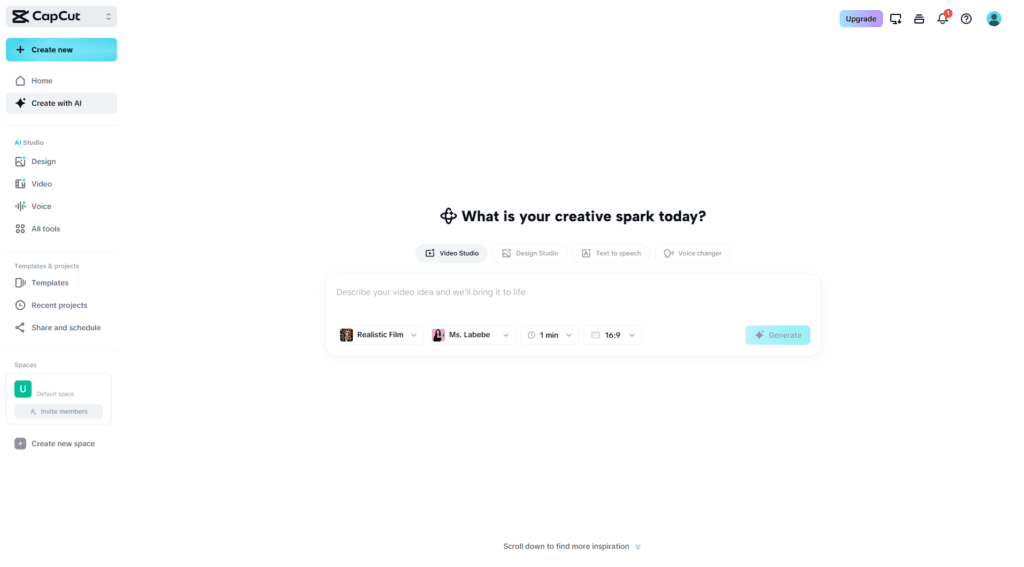
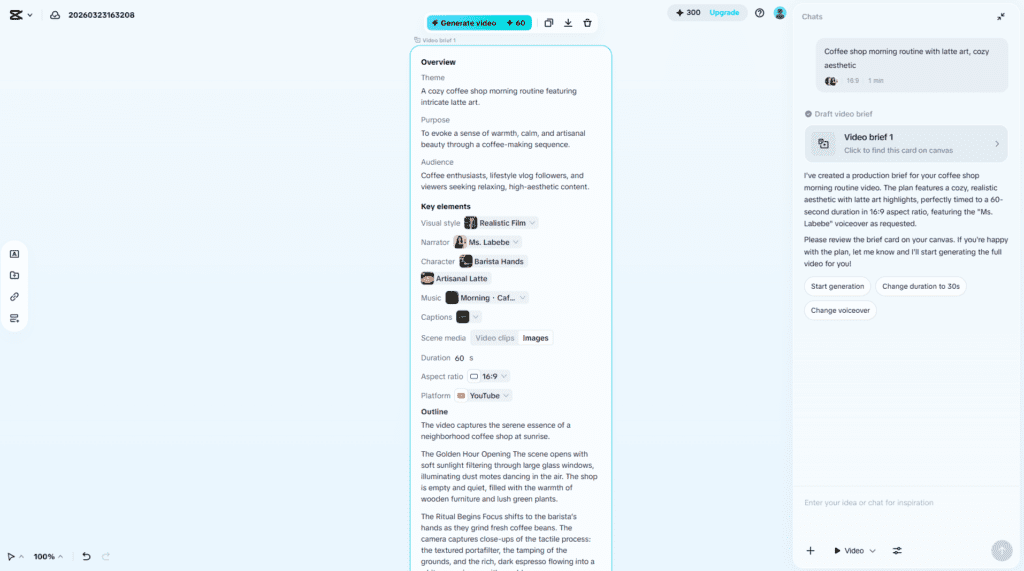
I Personally Tested: I used CapCut to help a local coffee shop in Denver create their “Morning Routine” Reel. We used the AI script-to-video feature. I typed in a basic description of their latte art process, and CapCut suggested the cuts and added the captions perfectly. It took 15 minutes. People often ask, Can CapCut generate AI videos? Yes, and its “Magic Tools” are better than most dedicated platforms.
Pros/Cons for CapCut
| Pros | Cons |
| Most features are 100% free | Privacy concerns for some US gov workers |
| Best free ai tools for youtube video making | Heavy on your computer’s RAM |
| No watermark if you use the TikTok export trick | Some “Pro” templates are tempting |
Official Link: capcut.com
InVideo AI
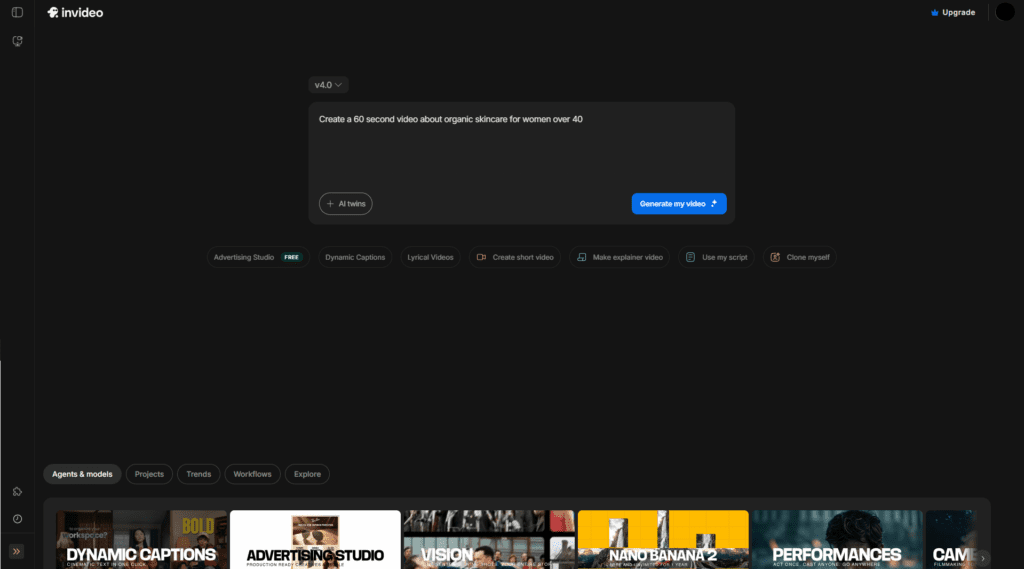
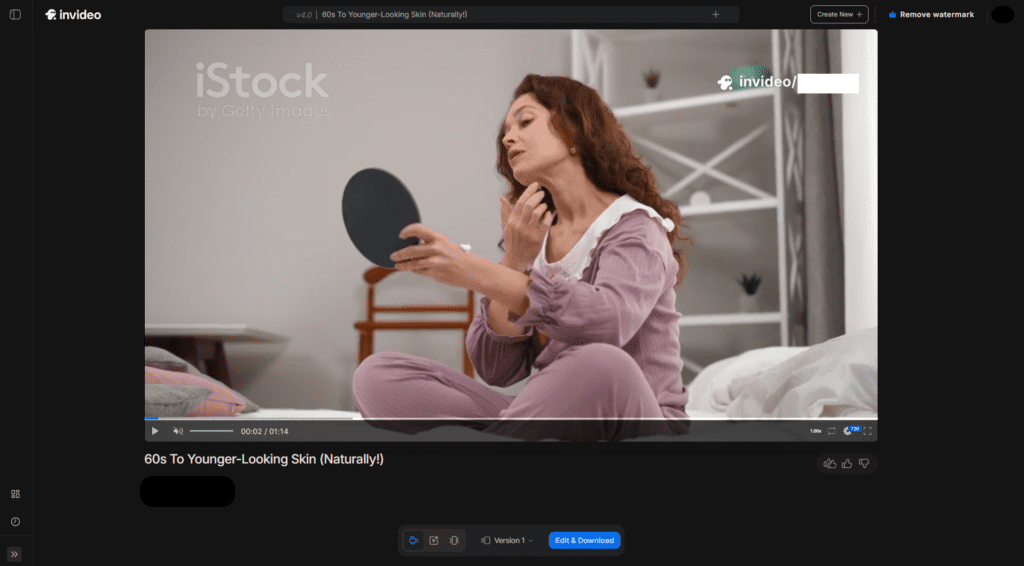
If you’re looking for a free ai text to video generator, InVideo AI is the closest thing to “magic.” You just type a prompt like “Create a 60-second video about the benefits of organic skincare for women over 40,” and it finds the stock footage, writes the script, and adds the voiceover.
Use Cases:
- YouTube Channels: Creating “faceless” educational content for your niche.
- Email Marketing: A quick ai video generator from text free clip to include in your weekly newsletter.
- Real Estate: Turning a property description into a narrated video tour.
I Personally Tested: I tested InVideo for a client who sells handmade leather journals. We used it as a free ai text to video generator to create a “History of Journaling” video for their YouTube channel. The script was surprisingly deep, though I had to swap out two stock clips that looked a bit too “European” for their Montana-based brand.
Pros/Cons for InVideo AI
| Pros | Cons |
| Massive stock library | Watermark on the free version is noticeable |
| Great for free ai tools to create youtube videos | Can feel a bit “template-y” |
| 10 minutes of AI generation per week | Subscription is pricey if you upgrade |
Official Link: invideo.io
Runway ML
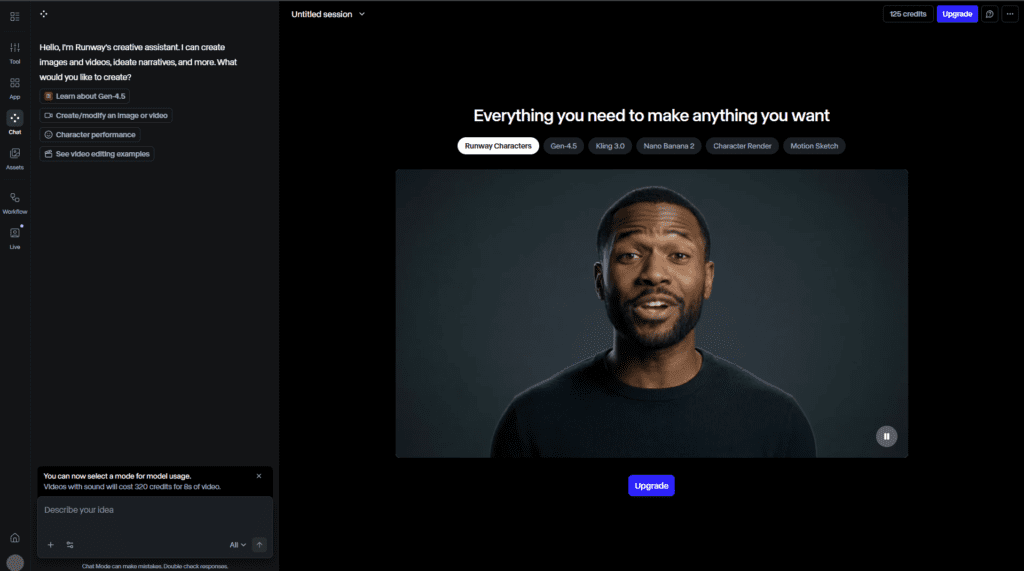
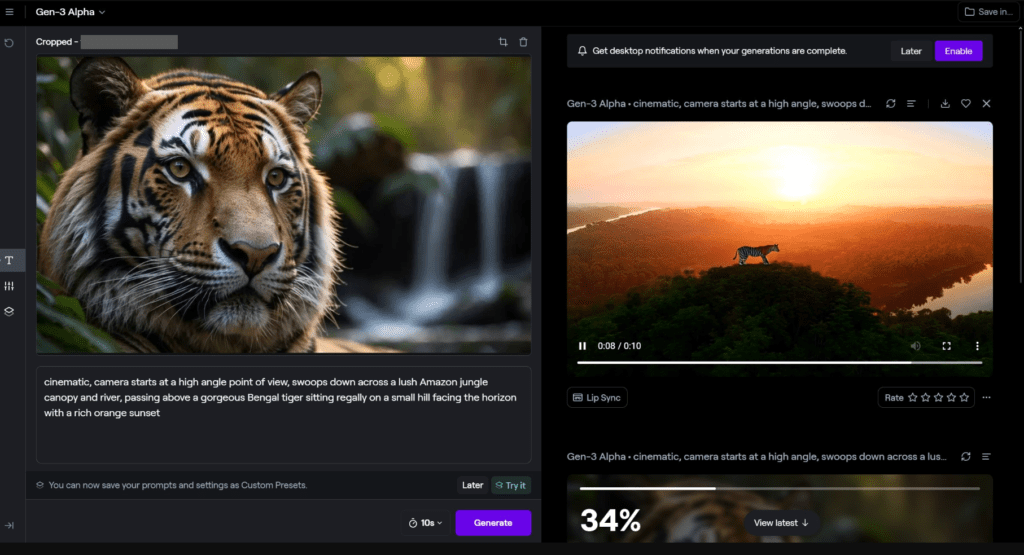
Runway is the “OG” of the AI video space. In 2026, their Gen-3 Alpha model is the industry standard for artistic control. It’s not just about generating a random clip; it’s about free ai video generator tools from text that actually understand lighting and camera movement.
Use Cases:
- High-End Branding: Creating mood films for luxury brands or architecture firms.
- B-Roll Generation: If you’re missing a specific 5-second shot of “snow falling in a New York park,” Runway builds it for you.
- Special Effects: Adding fire, rain, or cinematic fog to your existing footage.
I Personally Tested: I used Runway to help a boutique hotel in Vermont. We didn’t have the budget for a drone shoot, so we used a single high-res photo of the property and used Runway’s “Image-to-Video” tool to create a sweeping aerial-style reveal. It looked so real that the local tourism board asked who our pilot was.
Pros/Cons for Runway ML
| Pros | Cons |
| Best-in-class motion control | Credit system can be confusing |
| Professional-grade quality | Steep learning curve |
Official Link: runwayml.com
Pika Labs
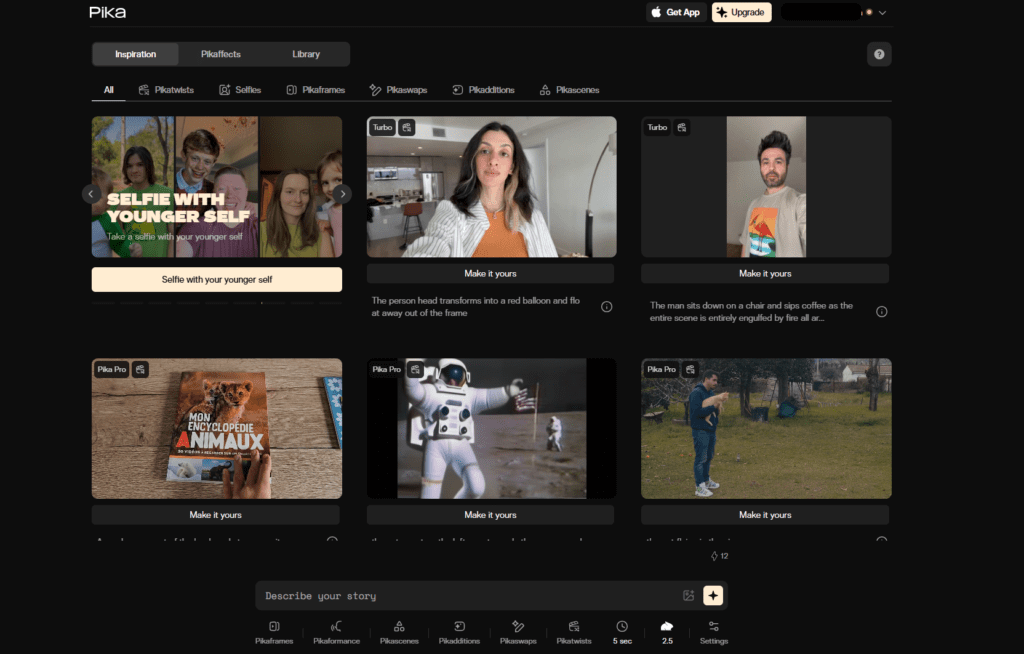
Pika is the “cool kid” of the free ai video generator software world. It’s built into Discord (like Midjourney) and excels at animation and “stylized” content.
Use Cases:
- Animated Logos: Making your shop’s logo bounce, glow, or transform for a video intro.
- Meme Marketing: Creating funny, short animations to engage with your audience on X (Twitter).
- Commercials: Adding “Sound Effects” (SFX) automatically to your AI videos.
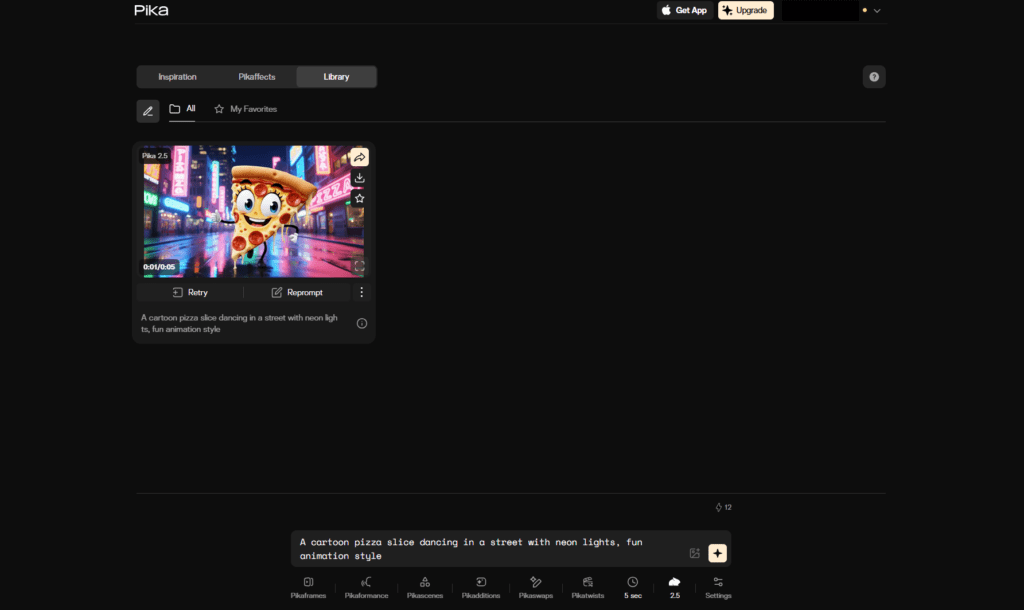
I Personally Tested: I used Pika to animate a comic-strip style ad for a pizza shop in Philly. We took their mascot—a slice of pepperoni pizza—and made it dance to 90s hip-hop. It went semi-viral on the local community page because it was so different from the typical static photo ads.
Pros/Cons for Pika Labs
| Pros | Cons |
| Integrated sound effects (Lip Sync too!) | Discord interface isn’t for everyone |
| Fun, stylized look | Slower generation times |
Official Link: pika.art
Kling AI
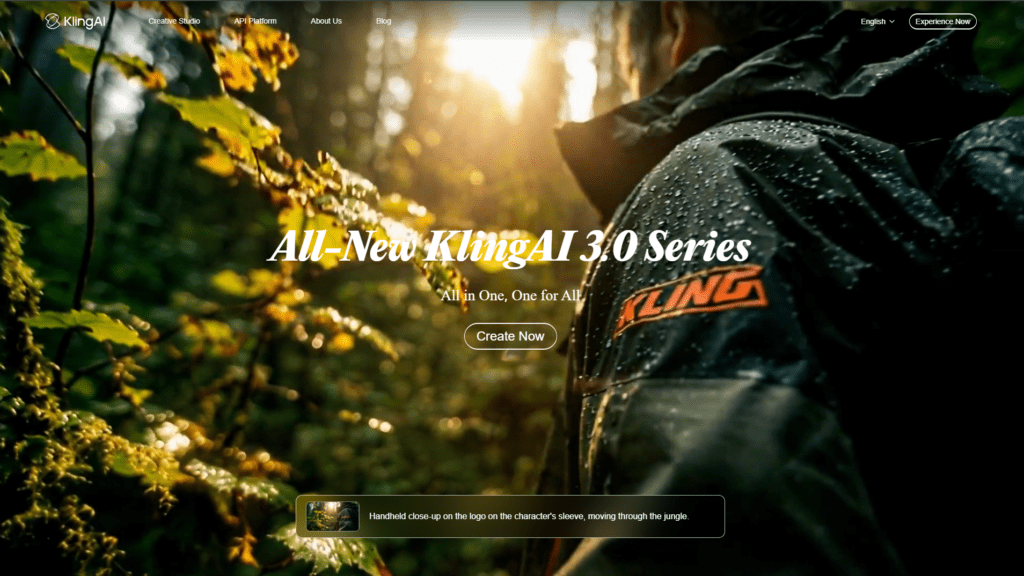
Coming from the top-tier of free ai video generator tools from text, Kling AI has set the world on fire in 2026 with its ability to generate videos up to 2 minutes long. Most AI tools stop at 5 or 10 seconds.
Use Cases:
- Short Films: For small businesses that want to do a “mini-documentary.”
- Human Motion: It handles walking and eating better than almost any free ai video creator platform.
- Cinematic B-Roll: Getting long, continuous shots without cuts.
I Personally Tested: I used Kling to generate a “busy morning at a bustling Manhattan office” shot for a tech startup. The way it handled the people walking past each other without turning into a “glitchy mess” was incredible. It’s definitely in the top free ai video generator tools list for 2026.

Pros/Cons for Kling AI
| Pros | Cons |
| Generates very long clips (up to 2 mins) | High demand = long queues |
| Extremely realistic human movement | Login often requires a phone number |
Official Link: klingai.com
Head-to-Head Comparisons
Is CapCut or iMovie better?
In 2026, Is CapCut or iMovie better? It’s not even a contest. CapCut has built-in free ai video generator tools online and trending templates that iMovie just doesn’t have. iMovie is a classic editor; CapCut is a content-creation machine. For a USA small business, CapCut wins on speed and viral potential.
InVideo AI vs Runway ML
If you want the AI to do the work (script, stock, voice), choose InVideo. If you want to be the director and create original, cinematic shots from scratch, Runway is the best free ai video generator tools choice. InVideo is for marketers; Runway is for artists.
Is InShot completely free?
People often ask, Is InShot completely free? No. It has a free version, but you’ll be dodging ads and limited on high-end features. Compared to the free ai video generator software list above, InShot feels a bit dated for 2026 needs.
FAQ’s
Is there a totally free AI video generator?
There is no tool that gives you unlimited, high-quality, 4K video for $0. However, CapCut is the closest to a 100% free video editor with its massive free library. Most others give you “credits” each month.
How can I create a video for free?
Start with See my full list of 10 Best Free AI Tools 2026 for USA Businesses
to get your assets, then use the ai video maker free online version of CapCut to put it all together.
Can ChatGPT Create videos for free?
Not directly as a video file. It can write the script and create images (DALL-E), but you usually have to export those to a tool like InVideo or Sora to get the final video.
Can ChatGPT do video editing?
Not in the traditional sense. It can write code for video edits or describe what an edit should look like, but it doesn’t have a timeline where you drag and drop clips.
Can ChatGPT enhance videos?
It can’t “upscale” your 480p footage yet, but it can help you optimize your video SEO and scripts. For actual video enhancement, you’d want a specialized free ai video generator 2026 tool like Topaz (which isn’t free) or CapCut’s AI image-to-video tools.
Which free video editor is truly free?
If you are looking for Which free video editor is truly free?, DaVinci Resolve is the professional answer, but it’s hard to learn. For most businesses, CapCut is the “truly free” tool that gets the job done fastest.
Is Invideo AI free or paid?
It’s both. You can use the free ai text to video generator features for 10 minutes of video per week, but you’ll have an InVideo watermark.
Is VideoGPT free?
Most apps named VideoGPT are third-party wrappers. Be careful—many are “free to download” but require a weekly subscription to actually export anything.
Is there a 100% free video editor?
For mobile, VN Editor or CapCut are the closest to a 100% free video editor. For desktop, look into OpenShot or DaVinci Resolve.
How can I find a free ai video generator tools list?
You’re looking at it! But remember, the top free ai video generator tools change every month. Keep an eye on our See my full list of 10 Best Free AI Tools 2026 for USA Businesses for updates.
Which AI helps to make videos?
In 2026, the Which AI helps to make videos? question has many answers: Luma for cinematic shots, HeyGen for talking avatars, and InVideo for automated YouTube content.
What is the best free video editing tool?
For the average USA small business owner, it’s CapCut. It balances power, speed, and AI features perfectly.
Final Verdict & Which Tool Should You Choose?
Look, in 2026, your business is your media presence. If you’re a solopreneur in a place like Ohio or California, you don’t have time to be a professional editor.
- If you want to go viral on Reels/TikTok: Use CapCut. It’s the top free ai video generator tools pick for social growth.
- If you want to build a YouTube channel without showing your face: Use InVideo AI.
- If you need high-end cinematic shots for your website: Use Luma Dream Machine.
The key is to stop overthinking it. Pick one free ai video generator from this list and make one video today. Don’t worry about it being perfect. The algorithm cares more about consistency than a Hollywood budget.
Need custom AI video setup or workflow for your business? Book free 15-min consult:
Confused between AI video tools? Try our free comparison tool – no signup needed:

AI Nexte Editorial Team researches, tests, and reviews AI tools, workflows, and automation platforms for businesses, creators, and professionals. Our content is based on hands-on testing, industry research, feature analysis, and real-world use cases.








No Comments