


No-code AI agents for small business are software helpers that read, decide, and act without any coding. You describe a job in plain English and connect your apps. The agent then handles lead replies, scheduling, and follow-ups. Most US owners can launch a first agent in one afternoon for under $50 a month. This guide covers the tools, real examples, pricing, and setup.
It’s 9:47 p.m. You’re sitting on the couch, answering emails you should have answered at noon. A lead from Tuesday still hasn’t heard back. Two invoices need chasing. Tomorrow’s schedule has a hole in it. Sound familiar? That’s the daily reality for most small business owners across America. The work isn’t hard. There’s just too much of it. That’s exactly where no-code AI agents for small business come in. They don’t replace you. They take the repetitive, soul-draining tasks off your plate so you can do the work only you can do. In this guide, I’ll walk you through what these agents are, which tools are worth your money, and how to build your first one this week.
What Are No-Code AI Agents for Small Business?
A no-code AI agent is a digital worker you build without writing code. You tell it the goal, give it access to your tools, and it takes action on its own. According to IBM’s overview of AI agents, an agent can plan tasks, use tools, and complete steps with minimal human input. That’s the key difference from a basic chatbot. You might be wondering: “Isn’t this just automation with a fancy name?”
Not quite. Here’s the difference in plain terms:
- Chatbot: Answers questions from a script. It talks, but it can’t do much else.
- Classic automation: Follows fixed rules. “If this happens, do that.”
- AI agent: Understands messy input, decides what to do, then acts across several apps.
Here’s a quick example. A traditional automation can send a form submission to a spreadsheet. An AI agent reads the message, figures out it’s an urgent request, and books a callback. Then it texts the customer and alerts your team. That judgment layer is what makes AI agents for business so useful. And “no-code” simply means you build all of it by clicking, typing, and connecting apps. If you want the bigger picture on automation first, our guide to AI workflow automation for small business is a good warm-up.
Why Are Small Businesses Adopting AI Agents So Fast in 2026?
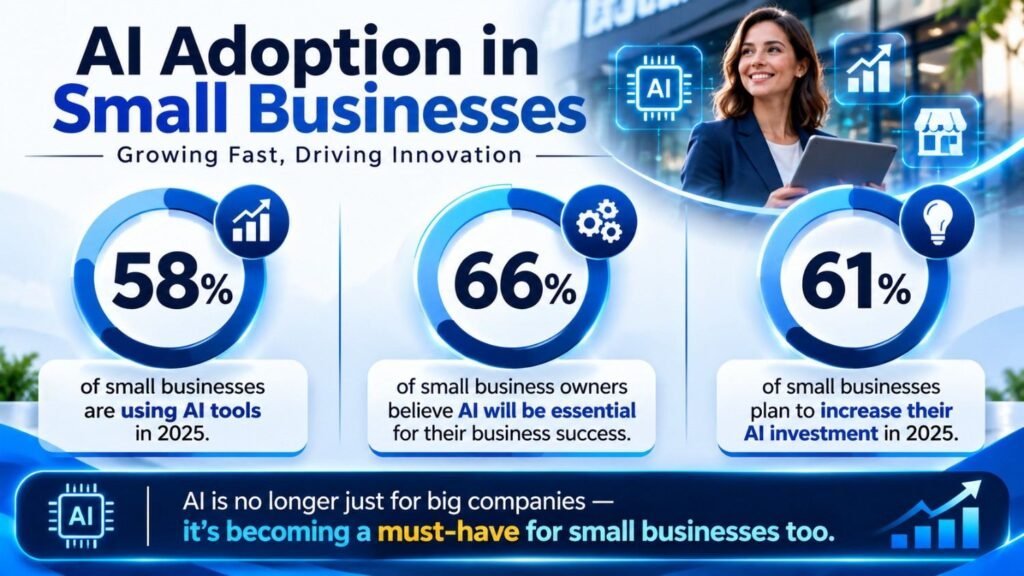
Because the math finally works. Tools got cheaper, easier, and far more capable. The numbers back it up. A 2025 U.S. Chamber of Commerce survey found 58% of small businesses now use generative AI. You can read the coverage on Kiplinger. Another study points the same direction. American Express reported that 66% of small businesses were using AI, a 10-point jump from May 2025. The full details are in this American Express Trendex summary. Here’s the part most people miss. The same survey found 61% of small businesses not using AI said the tools were too expensive. That belief is outdated.
Most people get this wrong: they assume AI means a five-figure software budget. In reality, many no-code platforms start at roughly $9 to $50 per month. There’s one more number worth noting. Government data using a stricter definition shows lower adoption. One analysis reported 8.8% of small businesses used AI in producing goods or services as of August 2025 (source). That means the opportunity is still wide open in your town. Translation? If your competitor down the street isn’t using AI agents yet, you have a window. It won’t stay open forever.
Which No-Code AI Agent Platform Is Best for Small Business?
There’s no single winner. The best no-code AI agent platform depends on your skills, your budget, and your tools. I’ve sorted the most popular options into one comparison. Prices are starting rates I verified in late 2026, but vendors change them often. Always confirm on the official pricing page.
| Platform | Best For | Starting Price (USD) | Ease of Use | AI Agent Strength | Learning Curve |
|---|---|---|---|---|---|
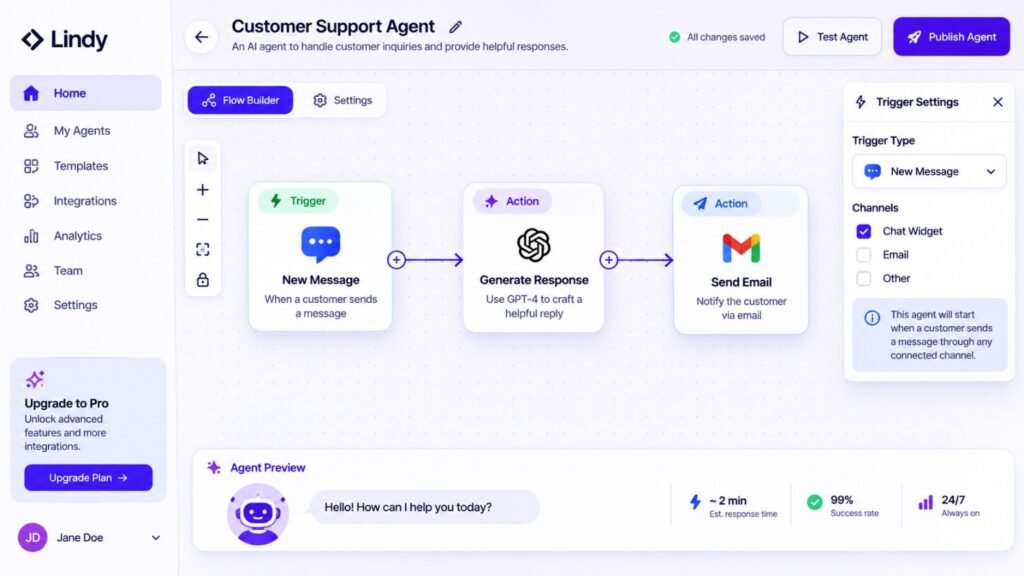
| Lindy | Non-technical owners, email and scheduling | ~$50/mo | Very easy | Builds agents from plain-English prompts | Low |
| Make | Visual, multi-step workflows on a budget | ~$9–$11/mo | Moderate | Visual AI agent builder inside scenarios | Medium |
| Zapier (Agents) | Connecting the most apps quickly | ~$20/mo | Very easy | Agents plus 8,000+ app connections | Low |
| n8n | Tech-comfortable teams, complex flows | ~$24/mo (or self-host) | Harder | Deep control and custom logic | High |
| Microsoft Copilot Studio | Teams already living in Microsoft 365 | Varies by license | Moderate | Strong Office and Teams integration | Medium |
Lindy: Easiest for Total Beginners
Lindy lets you describe an agent in everyday language. Say “reply to new leads within two minutes,” and it builds the flow. It’s great for email triage, calendars, and meeting notes. The downside? Credits get used faster than you’d think on AI-heavy tasks.
Make: Best Value for Visual Thinkers
Make’s AI agents sit inside a drag-and-drop canvas. You can see every step, which makes troubleshooting much easier. It’s usually the best price for complex logic.
Zapier: Best for App Coverage
If your obscure industry software has an integration anywhere, Zapier probably has it. That reach is its superpower. It also gets pricey as your task volume grows.
n8n: Best for Control Freaks (Lovingly)
n8n gives you the most flexibility, and you can self-host it. But expect a steeper learning curve. Unless someone on your team enjoys tinkering, start elsewhere.
Microsoft Copilot Studio: Best for Microsoft Shops
If your whole company runs on Outlook, Teams, and SharePoint, look at Microsoft’s AI agent options. The integrations feel native, and IT departments like the security story. Not sure which to pick? Try the free comparison tool at the end of this article. And if you’d like more tool reviews, browse our AI tool library at Ainexte.
How Much Do AI Automation Tools Really Cost?
Less than a part-time employee. Far less.
Here’s a realistic budget breakdown for AI automation tools at three stages. These are estimates, so your costs will vary with volume.
| Stage | Monthly Budget (USD) | What You Get | Best For |
|---|---|---|---|
| Starter | $0–$30 | 1–3 simple agents, free tiers, light volume | Solo owners testing the waters |
| Growth | $50–$200 | 5–10 agents, CRM and email connections, higher limits | Teams of 3–25 people |
| Done-with-you | $500–$2,500 one-time setup, plus tools | Custom builds, compliance review, training | Clinics, law firms, multi-location shops |
Watch for hidden costs. Extra AI credits, phone minutes, and premium app connections add up. One platform I’ve seen charges around $0.19 per minute for phone features.
Pro tip: Set a monthly spending cap on every platform that allows one. It takes two minutes and prevents ugly surprises.
What Can a No-Code AI Agent Actually Do? (Real Examples)
Let’s get practical. Here are three real-world style examples you can borrow.
Example 1: The Texas Dental Clinic That Stopped Missing Calls
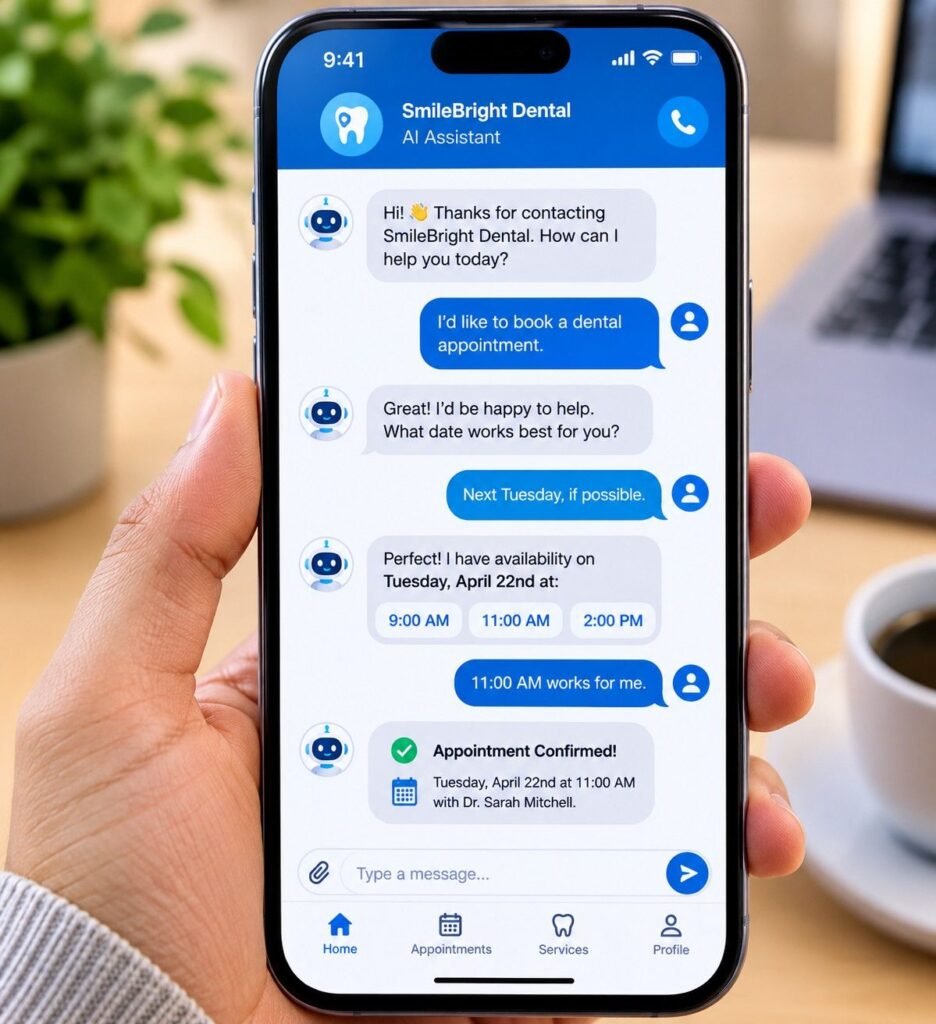
Picture a three-dentist clinic in Houston. The front desk was drowning. About 30% of calls during lunch went to voicemail, and most of those callers never called back. The fix was a phone-and-text agent. It answered after-hours calls, checked the schedule, and booked appointments. It also texted a confirmation link.
Here’s what actually happened over 90 days. Booked new-patient appointments rose by roughly 22 per month. The front desk got back around 11 hours a week. The clinic spent about $180 a month on the tools. The mistake? In week one, the agent offered appointment slots that conflicted with hygienist schedules. The team had never told it about those blocks. Once they added those rules, errors dropped to nearly zero. Dental and medical offices need to be careful with patient data, so see the compliance section below. For a deeper look at phone setups, read our guide on AI-powered phone answering agents for small business.
Example 2: The Florida HVAC Company and the 2-Minute Rule
Now think of an HVAC business in Tampa. Summer heat means panicked leads. Panicked customers call whoever answers first.The owner built a lead-response agent. When a web form came in, the agent replied within 90 seconds. It asked two qualifying questions, then sent the lead to the right technician.
Before the agent, average response time was about four hours. After, it dropped to under two minutes. Over one busy summer, the company closed roughly 17 extra jobs. At an average ticket of $480, that’s about $8,160 in added revenue. Funny part? The owner’s first agent apologized too much. Every message started with “Sorry for the wait!” Customers found it strange since they hadn’t waited at all. A tone instruction fixed it.
Example 3: The New York Boutique That Finally Understood Its Numbers
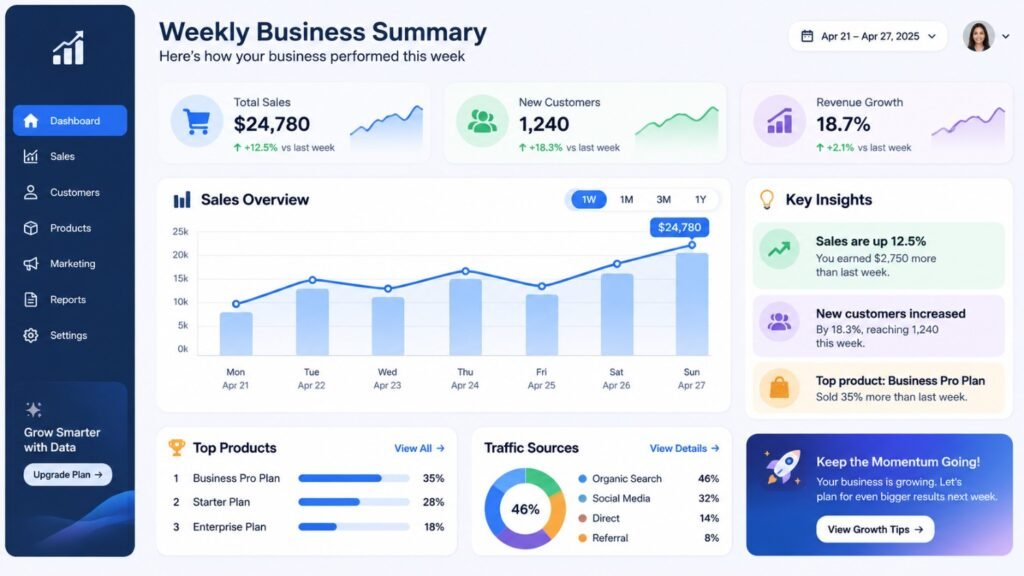
Last, imagine a small online boutique in Brooklyn. Sales data lived in three places. The owner spent every Sunday copying numbers into a spreadsheet. An agent now pulls orders, ad spend, and returns each Monday. It writes a plain-English summary with the three biggest changes. Sunday afternoons became free again. That’s the AI workflow automation sweet spot: boring, repeatable, and valuable. If numbers are your bottleneck, our roundup of AI data analysis tools for small business goes deeper.
ow Do You Set Up a No-Code AI Agent Step by Step?
Here’s the exact process I recommend. It works on almost any platform.
- Pick one painful task. Choose something repetitive that happens daily. Lead replies, appointment reminders, and invoice follow-ups are great starters.
- Write the goal in one sentence. Example: “When a new lead emails us, reply in two minutes and add them to our CRM.”
- Map the steps on paper. List what the human does today. Every step becomes an instruction.
- Choose your platform. Use the comparison table above. When in doubt, start with Lindy or Zapier.
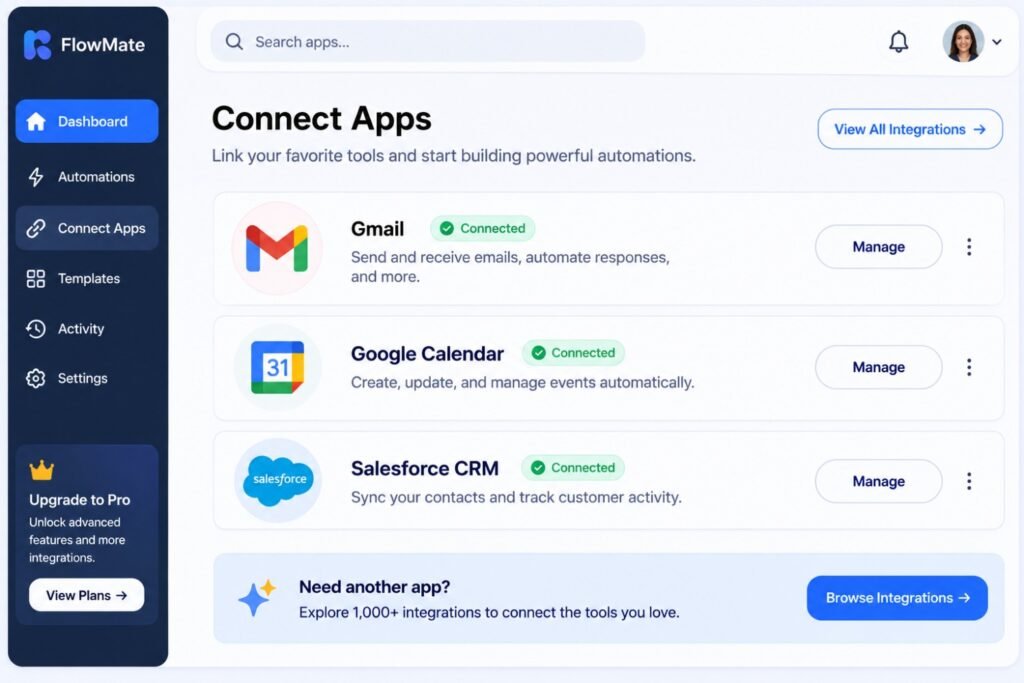
- Connect your apps. Link email, calendar, CRM, or phone. Use dedicated accounts when possible, not your personal login.
- Write clear instructions and guardrails. Tell the agent what it must never do. Examples: never quote prices, never promise refunds, never share patient details.
- Test with 20 real examples. Run old emails or fake leads through it. Fix what breaks before going live.
What Does a Good Agent Instruction Look Like?
Short, specific, and bossy. Here’s a sample:
“You are the front-desk assistant for Lone Star Dental. Reply to new patient inquiries within two minutes. Be warm and brief. Offer two appointment times. Never give medical advice. If asked about pricing or insurance, hand off to a human.”
Notice what’s missing? Fluff. The agent doesn’t need a pep talk. It needs rules.
How Long Does Setup Really Take?
For a simple lead-reply agent, plan on two to four hours. A multi-step agent with approvals can take a full day. Don’t rush testing. That’s where real money is saved.
What Mistakes Do Most Owners Make With AI Agents?
I’ve seen the same errors repeat. Learn from them cheaply.
- Automating a broken process. If your current process is a mess, AI makes the mess faster. Fix the process first.
- Skipping the human handoff. Every agent needs an escape hatch. When confused, it should pass the case to a person.
- Giving too much access. Don’t connect your whole Google Drive when the agent needs one folder.
- Going live without testing. One Ohio contractor skipped this and sent 40 customers the same follow-up twice. Awkward.
- Never checking results. Review the agent’s work weekly for the first month. Think of it as a new hire.
Lesson learned: the best agents start small. Build one, trust it, then add the next. Slow and boring beats flashy and broken.
Are No-Code AI Agents Worth It? Pros and Cons
Let’s be honest about both sides.
| Pros | Cons |
|---|---|
| Fast setup, often in hours | Needs ongoing monitoring |
| Low monthly cost versus hiring | Can make confident mistakes |
| Works 24/7, including holidays | Credit and usage costs can creep up |
| Easy to change without a developer | Limited customization on simpler tools |
| Frees owners for higher-value work | Privacy and compliance require care |
My take? The pros win for most small businesses. But only if you treat the agent like a team member, not a magic wand.
Are AI Agents Safe and Compliant for US Businesses?
It depends on how you set them up. Safety isn’t automatic. If you handle patient information, HIPAA applies. Not every no-code tool will sign a Business Associate Agreement (BAA). Without one, don’t send protected health information through that tool. Ask the vendor directly, and get the answer in writing. Other US rules matter too:
- TCPA: Automated texts and calls need proper consent. Fines add up quickly.
- State recording laws: California requires all-party consent to record calls. Other states differ, so tell callers when AI is on the line.
- CCPA/CPRA: California residents have data rights you need to respect.
- Financial and legal data: Treat client confidentiality as non-negotiable.
Pro tip: Start with agents that don’t touch sensitive data. Lead replies and internal summaries are great low-risk starters. Add regulated workflows later, ideally with a professional’s review. I’m not a lawyer, and this isn’t legal advice. When in doubt, call your attorney before launch.

How Do You Know If Your Agent Is Working? (Metrics to Track)
Gut feelings lie. Numbers don’t.
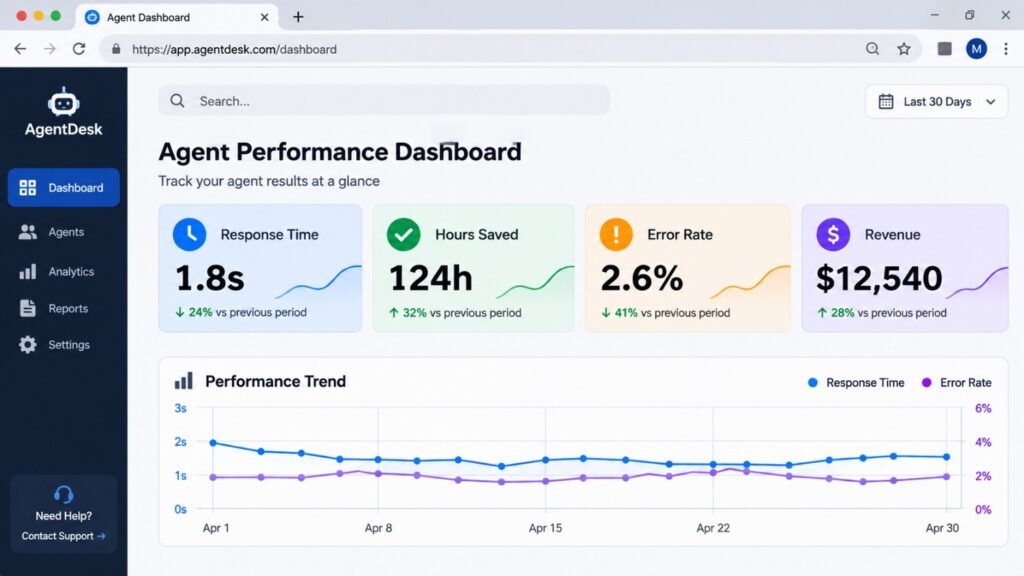
Track these four metrics for the first 30 days:
- Response time: How fast do customers hear back?
- Hours saved: Compare weekly time before and after.
- Error rate: How many outputs needed a human fix?
- Revenue touched: Leads booked, invoices collected, or tickets closed.
Here’s a simple rule I like. If an agent saves under two hours a week, shut it down or redesign it. If it saves five or more, build another.
What Does the Future Look Like for AI Agents in Small Business?
Expect agents to get more independent. Today, most need clear triggers. Soon, they’ll monitor your inbox, calendar, and sales for opportunities on their own. Expect more voice agents too. Phone remains the main channel for service businesses, from plumbers in Phoenix to law offices in Chicago. Better voice AI will close that gap. Expect pricing to shift as well. Platforms are moving toward usage-based credits, so watch your bills monthly. The takeaway? Don’t wait for perfect. Today’s tools already deliver. Waiting a year just means your competitors learn first.

What is the easiest no-code AI agent for a complete beginner?
Lindy and Zapier Agents are the friendliest starting points. Both let you describe tasks in plain English. Start with one narrow job, like lead replies, before building anything bigger.
Can an AI agent replace my receptionist or assistant?
Not fully, and you shouldn’t try. The best results come from agents handling the first 80% of routine work. Humans handle emotional, complex, or high-stakes situations. Think of it as giving your receptionist a very fast intern.
How do I stop an AI agent from saying something wrong?
Use three layers. First, give strict “never do” rules. Second, limit the agent’s data to only what it needs. Third, add human approval for anything involving money, medical details, or legal claims. Most embarrassing errors come from missing guardrails, not bad AI.
What happens if the AI platform changes its pricing?
It happens often. Keep your workflow documented in plain language, not just inside the tool. That way, you can rebuild on another platform in a day. It’s also smart to avoid annual prepayment until your agent proves its value.
Do customers hate talking to AI?
Usually they hate waiting more. Customers tolerate AI when it’s fast, honest, and easy to escape. Disclose it, keep it brief, and offer a human option. Hidden AI that gets caught tends to damage trust.
How many agents does a small business really need?
Most need two or three. One for inbound leads, one for scheduling or follow-ups, and one for reporting. Beyond that, you often add complexity faster than value. Prove each agent’s return before building the next.
Conclusion: Your First Agent Is One Afternoon Away
Here’s the honest truth. No-code AI agents for small business won’t fix a broken business model. But they will give you back hours you’ve been losing for years. You don’t need a developer. You don’t need a big budget. You need one painful task, one clear instruction, and the courage to test.
So here’s your homework for this week:
- Pick your most annoying repetitive task.
- Choose one platform from the comparison table.
- Build, test with 20 examples, and go live.
Then measure the results after 30 days. I’d bet you’ll wonder why you waited. Small steps beat big plans. Start today, and your future self will thank you.
Confused between AI tools? Try our free comparison tool: 👇
Need custom AI automation, chatbot, or integration for your business, medical practice, dental clinic, or app? 👇
AI agents for small business
AI automation tools
AI workflow automation
no-code AI agents
no-code AI platform

AI Nexte Editorial Team researches, tests, and reviews AI tools, workflows, and automation platforms for businesses, creators, and professionals. Our content is based on hands-on testing, industry research, feature analysis, and real-world use cases.




No Comments