



Why AI Productivity Tools Matter for US SMBs in 2026
Running a small business in the US in 2026 feels different than it did even two years ago. Customers expect faster responses. Teams are leaner. Founders are wearing more hats than ever. And time—not ideas or motivation—is the real bottleneck.
That’s where AI productivity tools quietly changed the game.
Most USA small business owners I talk to aren’t trying to “automate everything” or chase the latest tech trend. They just want fewer late nights, less mental overload, and systems that don’t break when business gets busy. Free AI productivity tools now handle things that used to eat up entire workdays: meeting notes, task planning, writing, scheduling, and internal documentation.
The real shift in 2026 is accessibility. You no longer need an enterprise budget or a technical background to benefit from AI. Many of the best tools now offer genuinely useful free plans—enough to support solopreneurs, freelancers, and small teams without forcing an upgrade on day one.
Another reason these tools matter for US businesses specifically is cost control. Hiring extra admin help, project managers, or assistants isn’t always realistic. AI tools fill those gaps by acting like a lightweight operations layer—one that works 24/7 and doesn’t call in sick.
This guide focuses only on free AI productivity tools that actually work for USA small businesses. No hype. No “future of work” fluff. Every tool listed here is something you can use today to save time, reduce friction, and stay focused on revenue-generating work.
If you’re also exploring AI beyond productivity, you may want to bookmark this pillar guide: See my full list of 10 Best Free AI Tools 2026 for USA Businesses.
Now let’s break down the tools that genuinely help you get more done—without burning out.
Top 8 Best Free AI Productivity Tools for USA Small Businesses
Notion AI
Notion AI turns scattered notes, tasks, and documents into a structured workspace. For many US small businesses, it becomes the central “brain” of operations.
USA small business use cases
Founders use Notion AI to create SOPs, onboarding docs, internal wikis, and project plans—all from rough notes. Instead of starting with a blank page, teams drop ideas into Notion and let AI clean them up into usable documents.
Service businesses use it to manage client projects, meeting notes, and follow-ups in one place. Agencies, consultants, and SaaS startups rely on it to summarize meetings, turn action items into task lists, and keep everyone aligned without endless Slack messages.
For solopreneurs, Notion AI replaces multiple tools. One workspace can hold content calendars, CRM-style client notes, financial checklists, and personal productivity systems.
I Personally Tested
I used Notion AI to turn messy meeting notes from a US-based consulting project into a clean internal SOP. It saved hours of rewriting and made the document easy for new team members to understand.
I also tested it for weekly planning. By dumping thoughts and letting AI organize priorities, planning felt faster and less mentally draining.
Pros / Cons Table
| Pros | Cons |
| Excellent for documentation | Learning curve for new users |
| Strong AI summaries | Free AI usage is limited |
| Flexible for any business | Needs setup time |
Official link: https://www.notion.so/product/ai
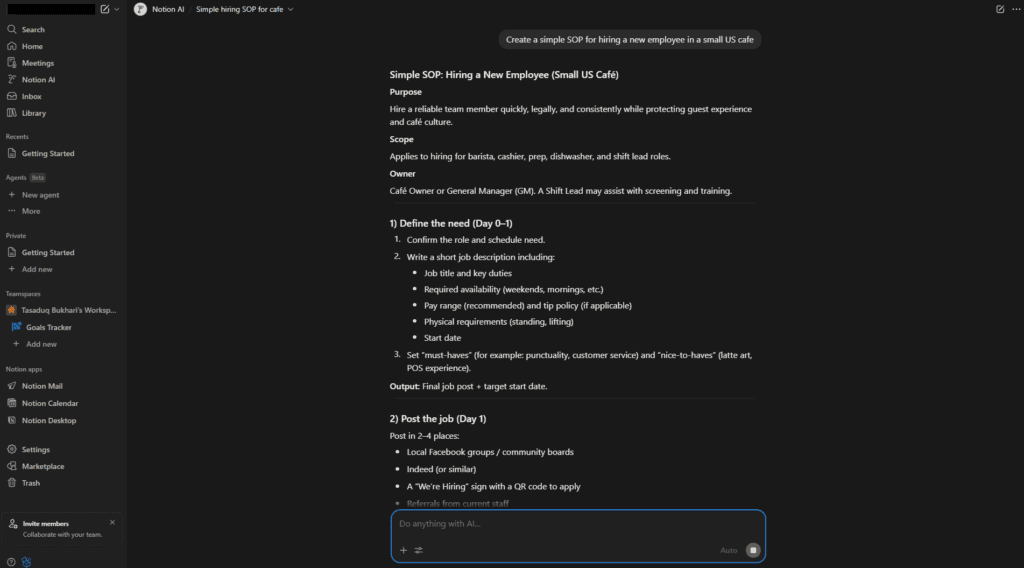
Clean SOP (Top Part)
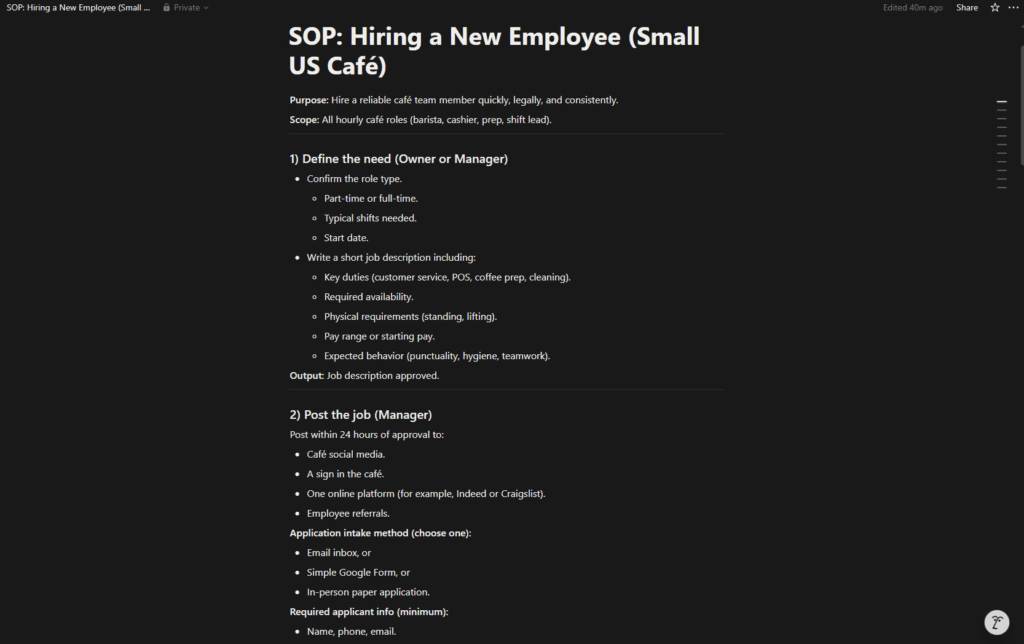
Clean SOP (Mid Part)
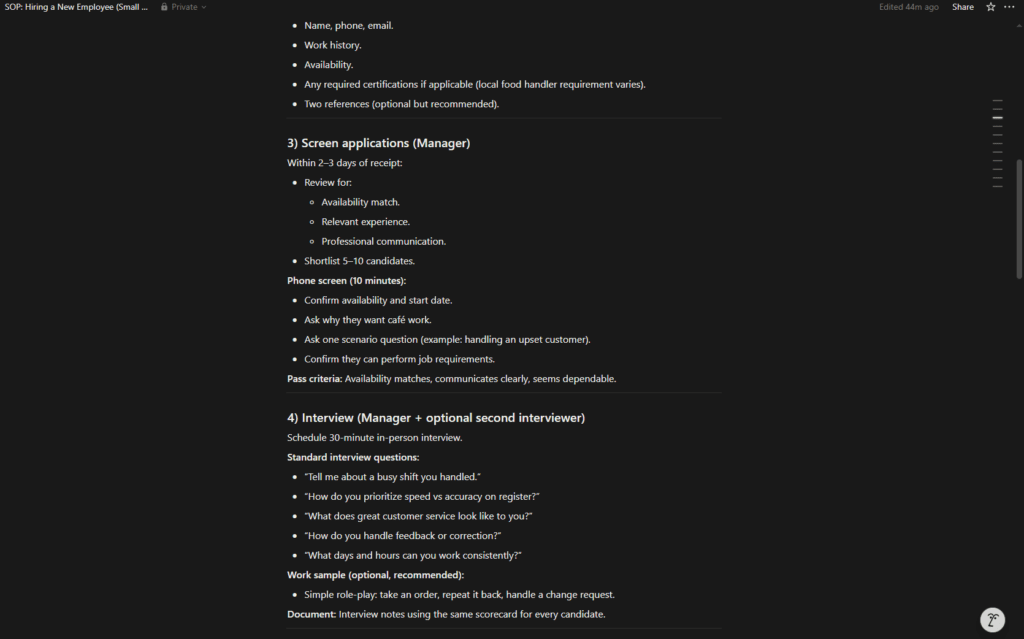
Clean SOP (End Part)
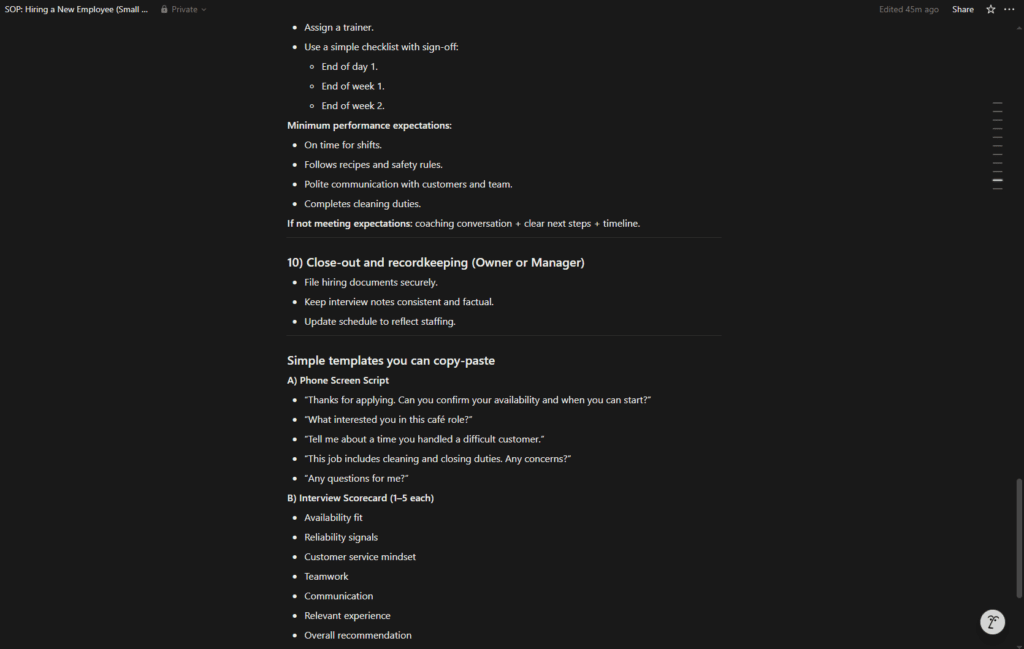
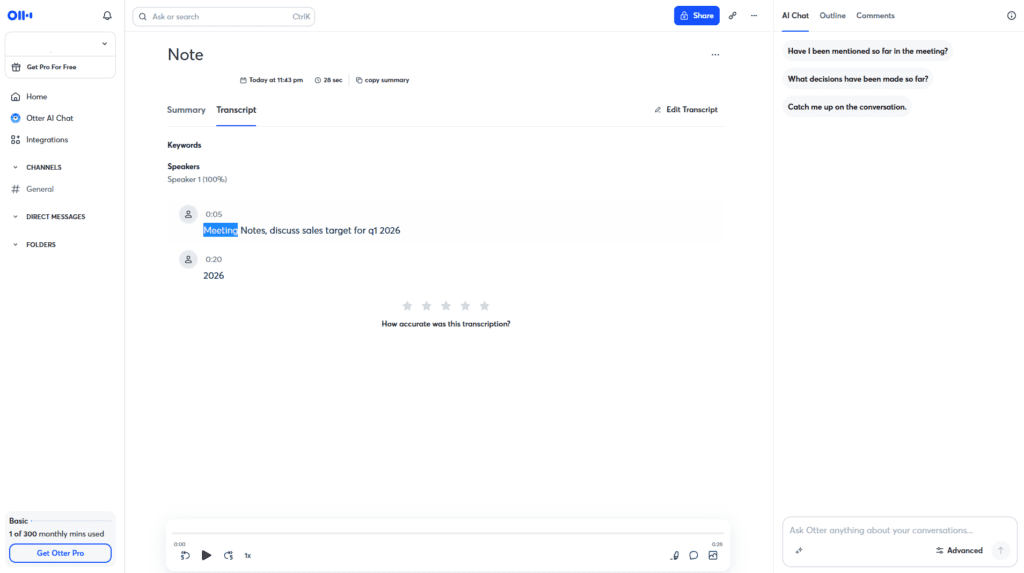
Otter.ai
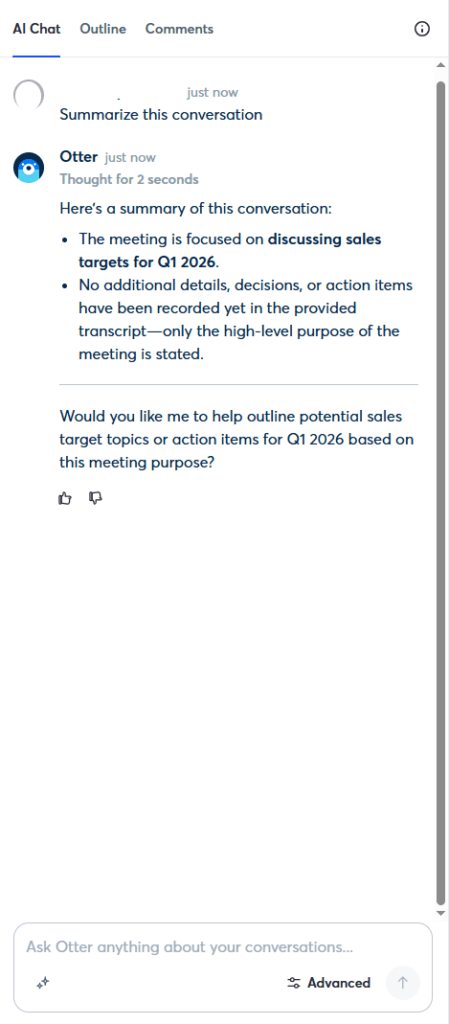
Otter.ai automatically records, transcribes, and summarizes meetings—one of the biggest time savers for US small teams.
USA small business use cases
Sales teams use Otter.ai to capture discovery calls and client meetings. Instead of scrambling to take notes, they focus on the conversation and review summaries later.
Coaches, consultants, and solopreneurs rely on it for Zoom calls, interviews, and brainstorming sessions. Transcripts become searchable knowledge that can be reused for content, proposals, or follow-ups.
For remote teams, Otter ensures nothing slips through the cracks when meetings happen across time zones.
I Personally Tested
I recorded multiple Zoom calls with US clients and reviewed Otter’s summaries afterward. The key points and action items were accurate enough to use directly in follow-up emails.
It also helped me revisit conversations weeks later without rewatching entire recordings.
Pros / Cons Table
| Pros | Cons |
| Accurate transcription | Limited free minutes |
| Automatic summaries | Needs clear audio |
| Easy to use | Accent accuracy varies |
Official link: https://otter.ai
(Summary)
Grammarly Free
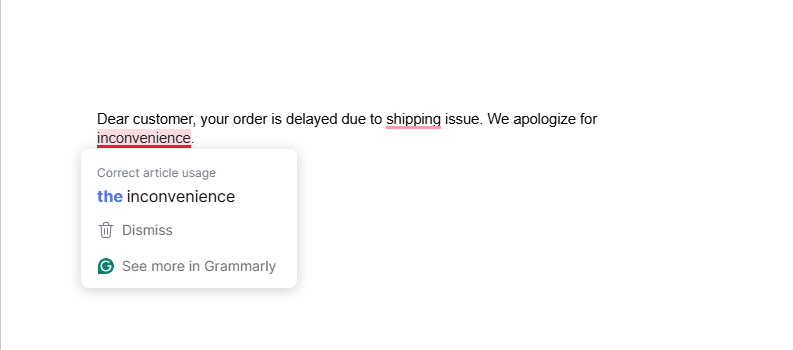
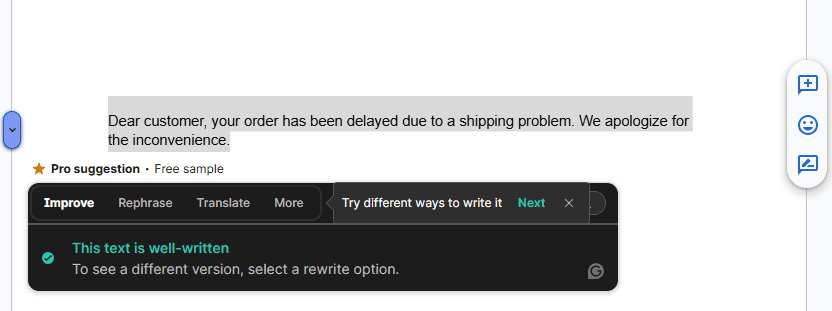
Grammarly Free improves everyday business writing without changing your workflow.
USA small business use cases
Email communication is where Grammarly shines. Small mistakes in proposals, invoices, and customer replies can hurt credibility—especially in the US market where professionalism matters.
Content creators and bloggers use Grammarly to clean up drafts before publishing. It doesn’t replace thinking, but it catches errors that slip past human eyes.
For non-native English speakers running US-based businesses, Grammarly acts as a quiet quality check.
I Personally Tested
I ran client-facing emails and landing page copy through Grammarly Free. It caught tone issues and grammar mistakes I would’ve missed when writing fast.
Over time, it also improved my own writing habits.
Pros / Cons Table
| Pros | Cons |
| Improves credibility | Advanced features are paid |
| Very easy to use | Not a content generator |
| Works everywhere | Limited style control |
Official link: https://www.grammarly.com
Final clean text
Todoist AI
Todoist AI helps turn tasks into realistic, prioritized plans.
USA small business use cases
Solo founders use Todoist to manage daily work without overloading themselves. The AI helps break down large goals into actionable steps.
Small teams use it to track deliverables, deadlines, and responsibilities without complex project management systems.
Todoist works well for people who want structure but hate clutter.
I Personally Tested
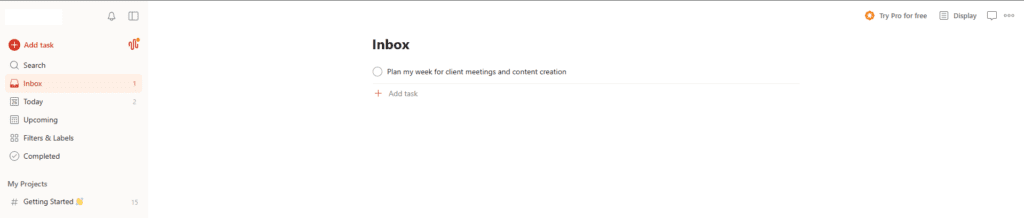
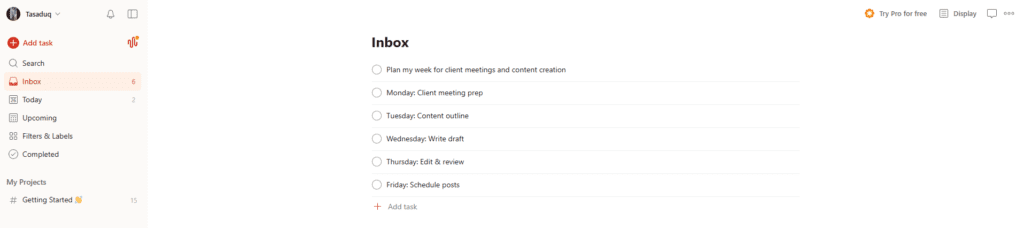
I planned a full workweek using Todoist AI. Breaking tasks into smaller steps made execution feel manageable instead of overwhelming.
Pros / Cons Table
| Pros | Cons |
| Clean task management | AI features limited |
| Fast setup | Not ideal for large teams |
| Focused design | Few advanced views |
Official Link: https://todoist.com/help/articles/ai-assistant
Task added in Todoist Inbox
Manual breakdown of the task into subtasks (AI would do this automatically on Pro plan)
ClickUp AI
ClickUp AI combines tasks, docs, and automation in one platform.
USA small business use cases
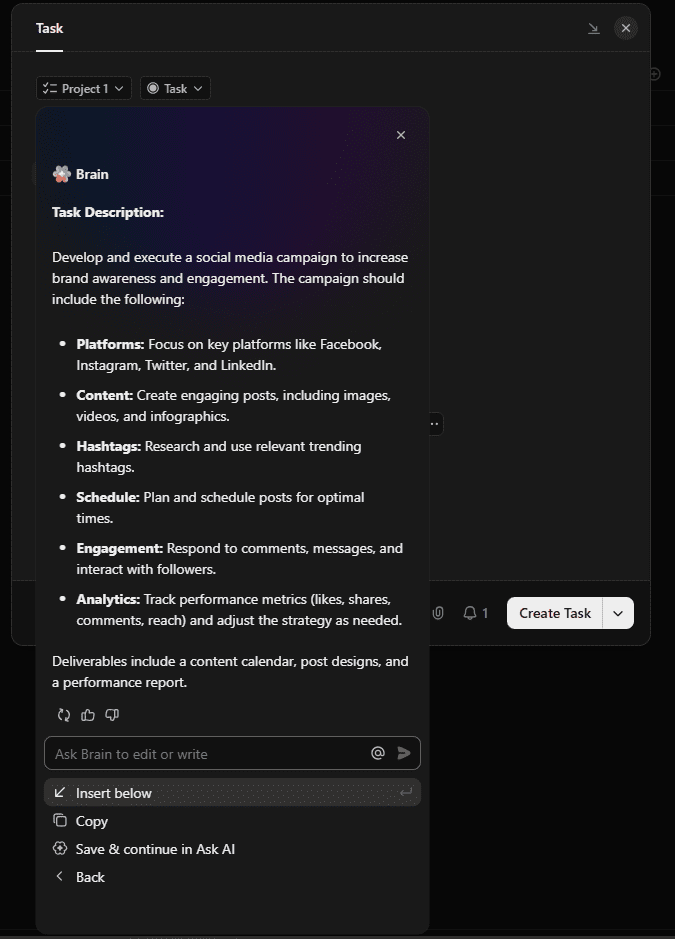
Agencies use ClickUp AI to manage clients, timelines, and deliverables. The AI helps generate task descriptions, summarize updates, and keep projects moving.
Startups use it to centralize operations instead of juggling multiple tools.
I Personally Tested
I used ClickUp AI to summarize project updates for a distributed US team. It reduced meeting time and kept everyone aligned.
Pros / Cons Table
| Pros | Cons |
| All-in-one platform | Can feel overwhelming |
| Strong AI features | Setup required |
| Scales with business | Free plan limits |
Official Link: https://clickup.com/ai
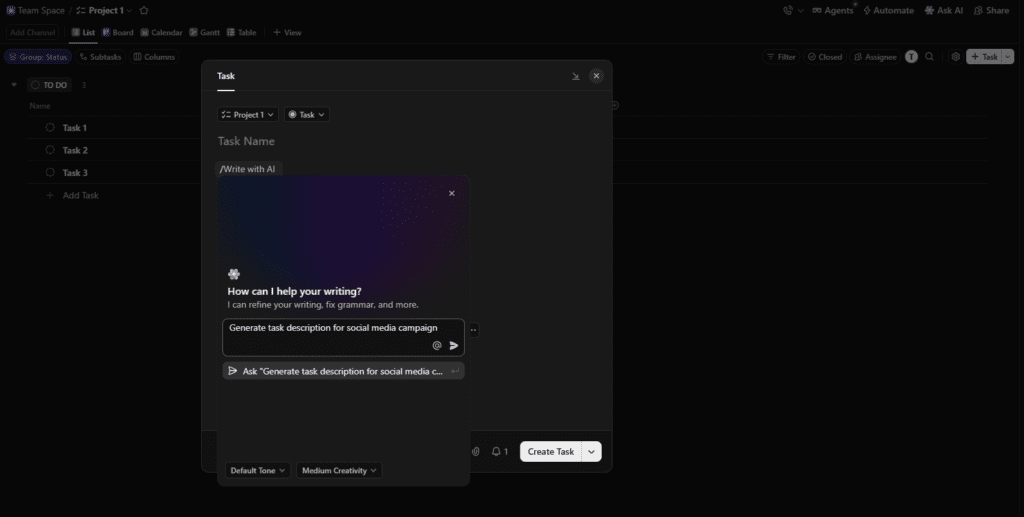
Generated
Mem.ai
Mem.ai is an AI-first note system designed to remember things for you.
USA small business use cases
Founders use Mem to capture ideas, meeting notes, and insights without worrying about organization. The AI surfaces relevant notes automatically.
It’s ideal for creatives, consultants, and anyone whose work depends on ideas rather than rigid workflows.
I Personally Tested
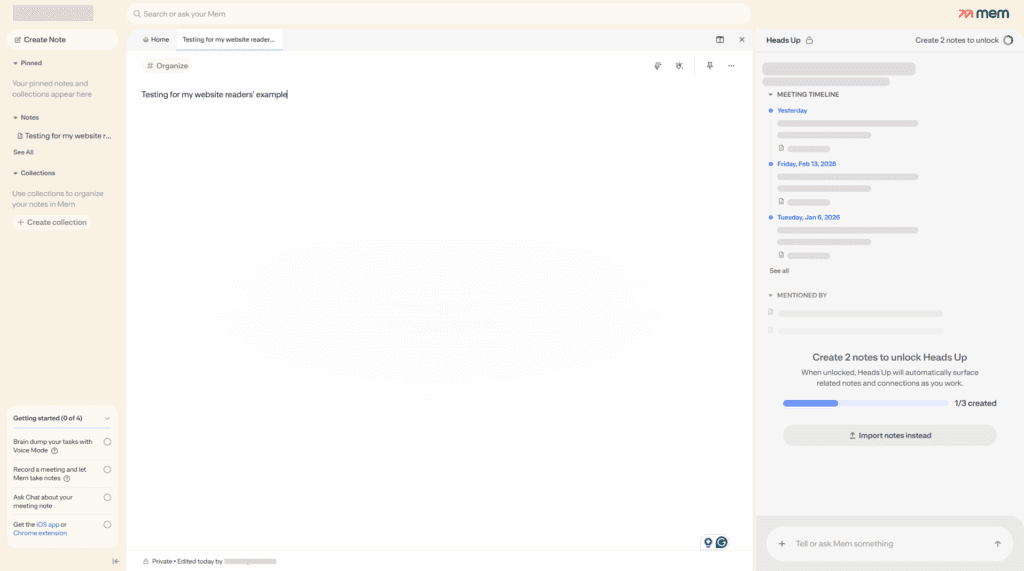
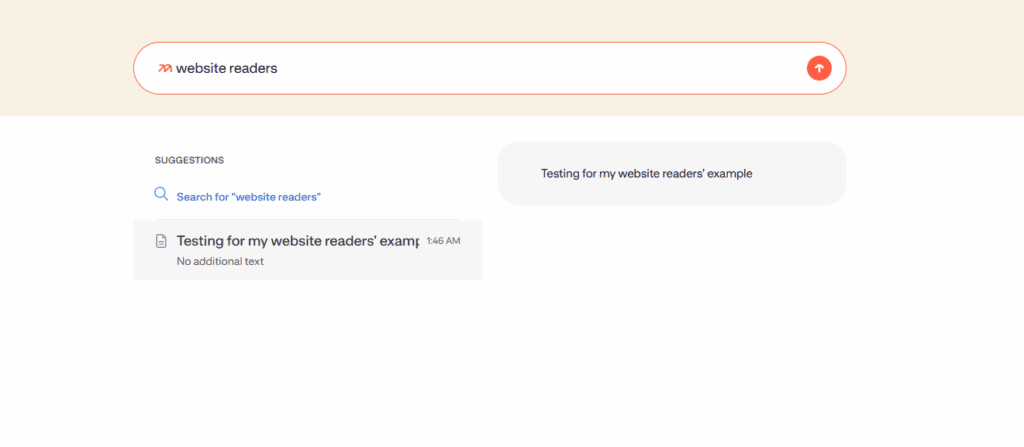
I dumped weeks of notes into Mem and searched naturally. The AI pulled relevant context faster than manual folders ever did.
Pros / Cons Table
| Pros | Cons |
| No manual organization | Less structured |
| Smart search | Smaller ecosystem |
| Great for ideas | Not task-focused |
Official link: https://mem.ai
(New note in Mem.ai)
AI-powered search results (pulls related notes automatically on full plan)
Motion
Motion uses AI to auto-schedule tasks and meetings.
USA small business use cases
Busy founders use Motion to protect focus time. It reschedules tasks automatically when priorities change.
For service businesses juggling client work, Motion helps prevent overbooking and burnout.
I Personally Tested
I tested Motion during a heavy client week. Seeing tasks move automatically reduced stress and decision fatigue.
Pros / Cons Table
| Pros | Cons |
| Smart scheduling | Limited free access |
| Reduces overload | Learning curve |
| Great for focus | Calendar-heavy |
Official link: https://www.usemotion.com
In the free plan of Motion, I manually added tasks and arranged them on the calendar using drag-and-drop. The AI auto-scheduling feature wasn’t available because it requires the Pro plan. Still, the basic calendar is very clean and easy to use. For small businesses, it helps protect focus time and avoid overbooking. On the Pro plan, AI automatically shifts tasks when a meeting is added, but even in free mode, it works fine if you manage things manually.
Reclaim.ai
Reclaim.ai optimizes your calendar around real priorities.
USA small business use cases
Solopreneurs use Reclaim to balance deep work, meetings, and personal time. It blocks habits and tasks intelligently.
Teams use it to avoid calendar chaos without micromanagement.
I Personally Tested
I connected Reclaim to my Google Calendar and immediately saw better balance between meetings and focused work.
Pros / Cons Table
| Pros | Cons |
| Smart calendar control | Needs Google Calendar |
| Protects focus time | Setup required |
| Free plan useful | UI takes time |
Official link: https://reclaim.ai
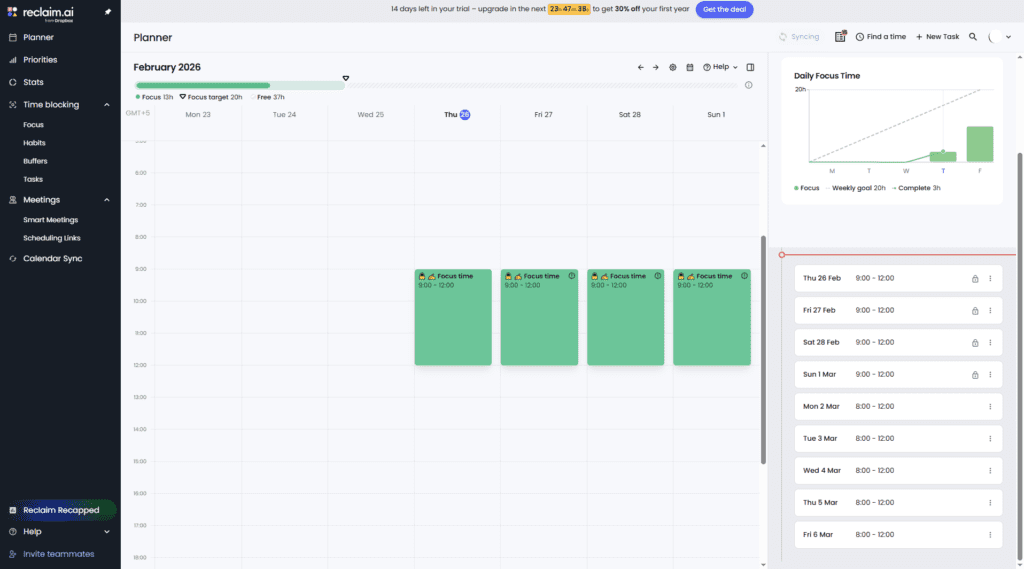
Added Task
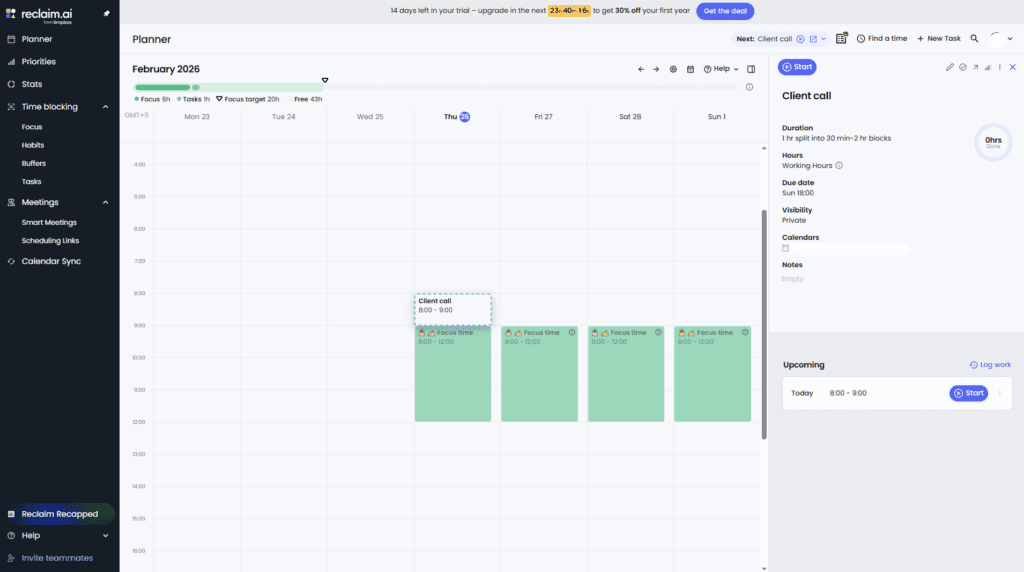
Comparison Table of All 8 Tools
| Tool | Best For | Free Limits | Ease of Use | USA Business Rating /10 |
| Notion AI | Docs & systems | Limited AI | Medium | 9 |
| Otter.ai | Meetings | Minutes cap | Easy | 8.5 |
| Grammarly Free | Writing | Core checks | Very Easy | 8 |
| Todoist AI | Tasks | Basic AI | Easy | 7.8 |
| ClickUp AI | Projects | Feature caps | Medium | 8.7 |
| Mem.ai | Notes | Limited | Easy | 7.5 |
| Motion | Scheduling | Trial-based | Medium | 8 |
| Reclaim.ai | Calendar | Core features | Medium | 8.2 |
Are free AI productivity tools enough for US small businesses?
Yes, for many small businesses they are. Free plans are usually more than enough for solopreneurs, early-stage startups, and small teams handling basic tasks like writing, note-taking, scheduling, and meeting summaries. The key is using the right mix of tools instead of relying on just one.
Which tool is best for solopreneurs?
For most US solopreneurs, Notion AI + Grammarly Free + Todoist AI is a strong combination. Notion AI handles planning and documentation, Grammarly keeps communication professional, and Todoist AI helps manage daily tasks without overwhelm.
Can these tools replace employees?
No. AI productivity tools don’t replace employees, but they reduce manual work. They act more like a smart assistant—handling repetitive tasks, organizing information, and speeding up execution—so your team can focus on higher-value work.
Are these tools secure for business data?
Most well-known AI productivity tools use industry-standard security and encryption. That said, US businesses should avoid uploading sensitive information like financial records, passwords, or confidential legal data unless the tool explicitly supports secure handling and compliance.
When should I upgrade to paid plans?
Upgrade when free limits start slowing you down—such as hitting usage caps, needing faster output, or working with larger teams. For many US small businesses, this happens once AI becomes part of daily operations rather than an occasional helper.
Final Verdict & Recommendation
AI productivity tools in 2026 aren’t about working harder—they’re about removing friction. For USA small businesses and solopreneurs, the right free tools can save hours every week, reduce mental load, and create systems that scale.
If you want to explore beyond productivity, See my full list of 10 Best Free AI Tools 2026 for USA Businesses.
Need custom AI productivity setup or integration for your business? Book a free 15-min consult here:
AI productivity tools 2026
AI tools for solopreneurs USA
AI workflow tools
Free AI tools for small business
Small business automation tools

AI Nexte Editorial Team researches, tests, and reviews AI tools, workflows, and automation platforms for businesses, creators, and professionals. Our content is based on hands-on testing, industry research, feature analysis, and real-world use cases.








No Comments